Contacts and companies
Each person and company has a record with your own fields: text, number, date, single or multiple choice, yes or no, a link, or a formula. A field can be required, masked for analysts, or limited to certain roles.
CRM
Brand My Inbox and EmailPro include a full CRM: contacts and companies, deals on pipelines you define, quotes, service tickets, documents and tasks. They share one record with every email, SMS and WhatsApp message the person received and every reply they sent. Automations react to what happens on that record, and an AI assistant can suggest the next step, but a person makes the move.
Everything a small sales or service team tracks, built as one data model rather than separate apps that sync with each other.
Each person and company has a record with your own fields: text, number, date, single or multiple choice, yes or no, a link, or a formula. A field can be required, masked for analysts, or limited to certain roles.
Sell projects and maintenance contracts on separate boards, each with its own stages. Moving a deal to a won or lost stage closes it, and every move is recorded, so time in stage is a report, not a guess.
Build a quote from your product list with discount and tax, send its link, and the customer accepts or declines on a page without an account. Accepting wins the deal and notifies every automation listening for it.
A ticket opened from a WhatsApp, Messenger, Instagram or website chat conversation points to that conversation instead of copying it, and tracks time to first response and time to resolution against your targets.
Request a signature on one version of a PDF. The signed file is sealed with a certificate page and its fingerprint is recorded, so anyone can check later that the bytes did not change.
Add a small table to a record: vehicles on a contact, policies, courses or properties. Its rows follow the record's permissions, so a member who sees only their own people sees only their people's rows.
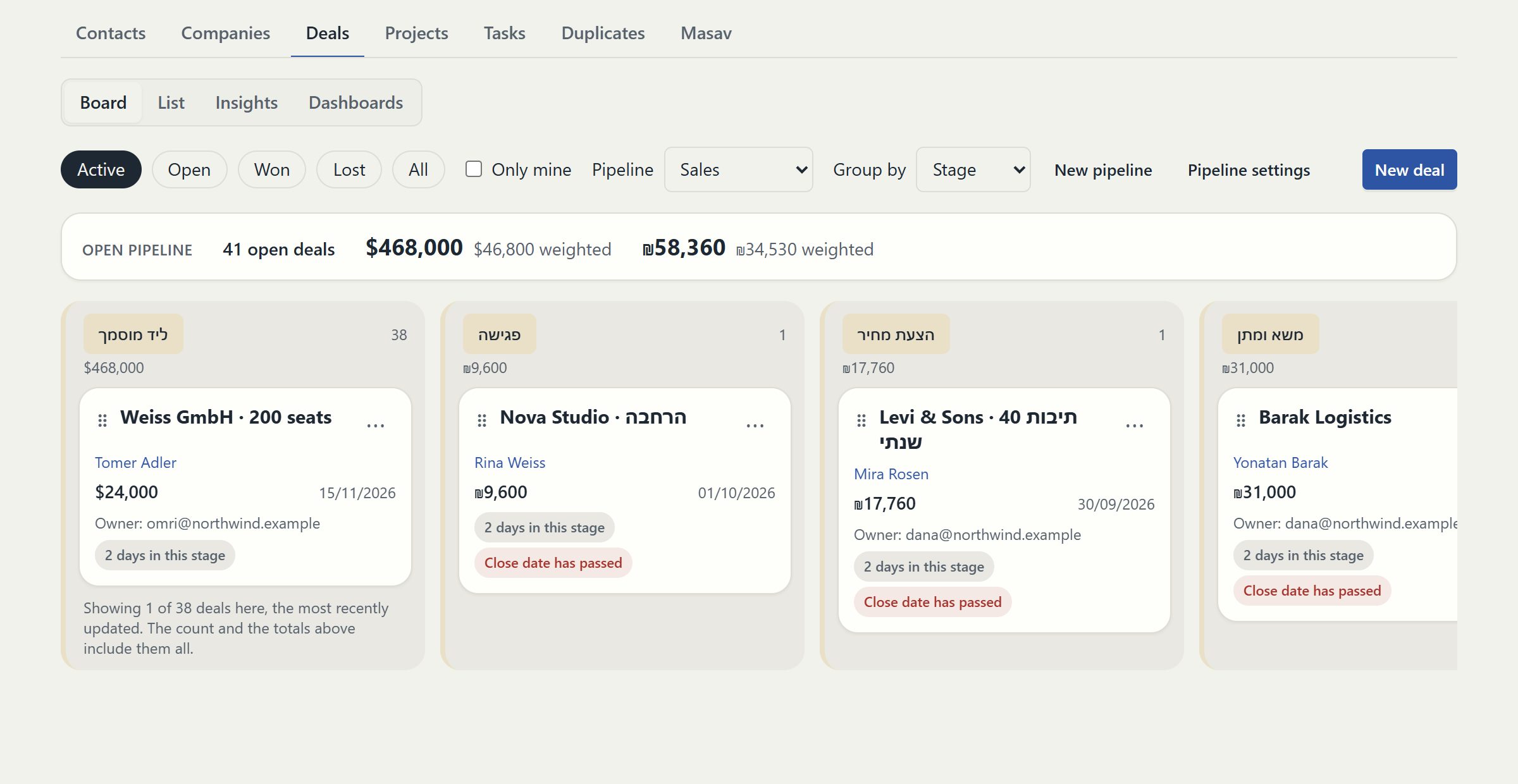
The record is the reason to keep the CRM and the messaging in one system. Each channel writes to it, and each keeps the rule that decides what may be sent.
| Channel | What appears on the record | The rule that applies |
|---|---|---|
| Campaigns and automated emails received, opens and clicks | Sent from your verified domain; a person approves each campaign version | |
| SMS | Texts sent, delivery status and replies | A reply asking to stop opts the person out of every channel at once |
| The conversation, linked to the contact by phone number | Marketing templates only to people who said yes to WhatsApp; free text only inside Meta's 24-hour window | |
| Website chat and AI agents | The transcript and the lead the assistant captured | The assistant hands over to a person when asked or when it has no answer |
| Calls | Logged calls with their outcome and next callback | Call queues respect working hours and a retry limit per person |
Upload a CSV and say where consent came from. An import without a consent source is refused, because one bought list damages delivery for every message you send afterwards.
Add the fields your business needs and one pipeline per sales motion. Removing a field later archives it with every value kept, so restoring it brings everything back in one step.
Choose from eight roles, from viewer to owner. Permissions are set per action, so a service agent can answer customers without being able to approve a campaign.
Verify your sending domain, connect a WhatsApp Business number and an SMS sender name, then switch on the automations that react to new leads, won deals or late tickets.
A CRM that moves deals by itself produces a pipeline nobody trusts. Here the system proposes and a person decides. When a quote is accepted, or a customer writes, calls, books or fills a form after a deal entered its stage, the record shows which stage the deal looks ready for and why, with a Move button. Nothing changes until someone presses it.
Lead scores follow the same idea. Every point carries its reason, such as an open deal, a reply on WhatsApp this month or several opened emails, so a list sorted by score is a call list your team understands. You can change the weight of each signal, and an automation can start when a score crosses a threshold you set.
The sales dashboard reads the same records: the funnel, outcomes and loss reasons, time in each stage, lead sources, a weighted forecast and service-level compliance per owner. Dashboards you build are computed when they are opened, so one shared dashboard shows each member the numbers they are allowed to see.
A page that always concludes in our favour is an advertisement. These are the cases where we would tell you to wait or look elsewhere.
Signing here is an electronic signature: a person agreeing on a page, recorded with who, when and over exactly which file. It is not a qualified electronic signature backed by a certificate authority. If your contracts require one, keep that step in a dedicated signing service.
The CRM has an API and sends signed webhooks, and importers for HubSpot, Pipedrive, monday.com and Fireberry are built and tested against recorded answers. They have not yet run against a live account, and none of them keeps two systems in sync afterwards.
Quotes carry lines, discounts and tax, and a customer accepts them online. There is no multi-level discount approval or configure-price-quote engine. If a quote needs three managers to sign off, that workflow belongs in a tool built for it.
Clear answers
Open an account, import a list with its consent records and connect one channel. Nothing is sent until a person approves it.
Open an accountExplore the current workspace
The builders, CRM and operational tools now share more of the journey. Start with a draft, review the next action, and follow the recorded result in the same workspace.
Edit in the page itself, switch between desktop, tablet and phone, and review changes before publishing. Pages, versions and professional kits use the shared canvas in Brand My Inbox and EmailPro.
Forms can create CRM inquiries. Joining a mailing list requires a separate consent choice.
Explore this capability: A canvas for websites and landing pages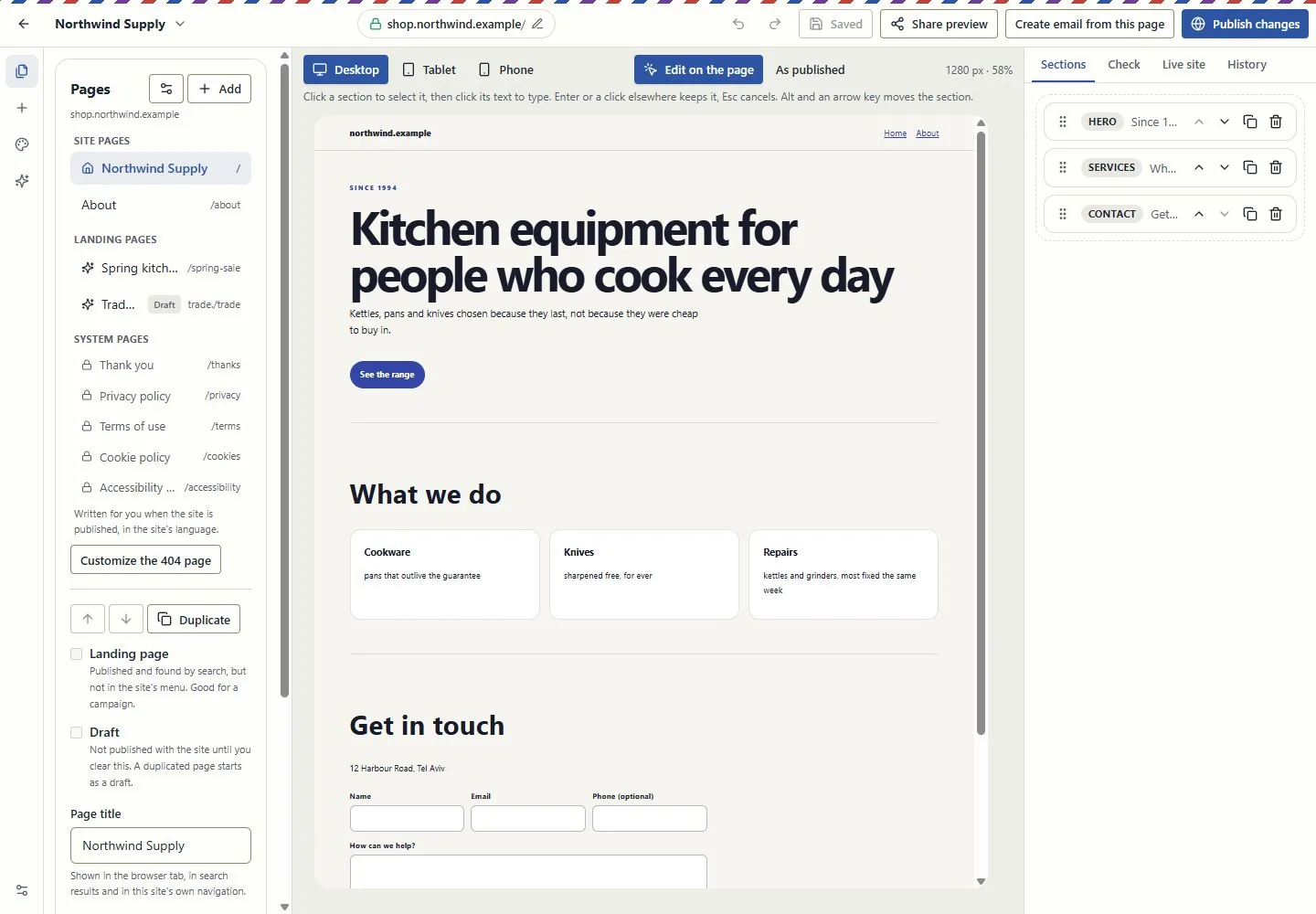
Work at real reading widths, edit text in the email, reorder blocks and inspect dark-mode and mail-client simulations. Keep the landing page and campaign connected through the supported conversion tools.
A simulation is not an inbox test. Review recipients, exclusions and sender identity before sending.
Explore this capability: Design the email in the email itself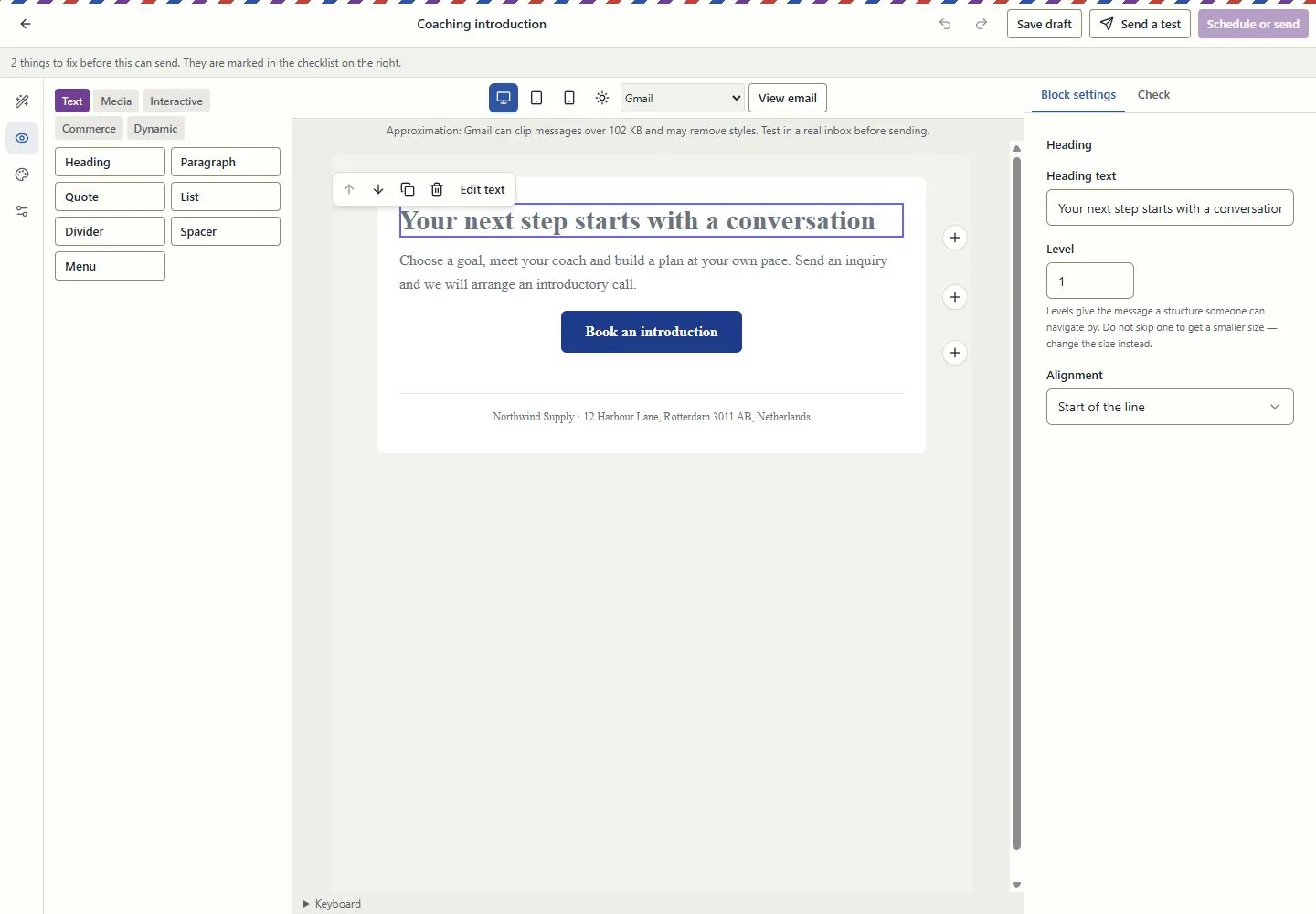
Connect contacts, companies, deals, service requests and projects. Use owners, queues, tasks, deliverables and approvals to see who does what next.
Visibility follows roles and record access. Inquiry forms do not grant marketing consent.
Explore this capability: Customer work beyond a contact list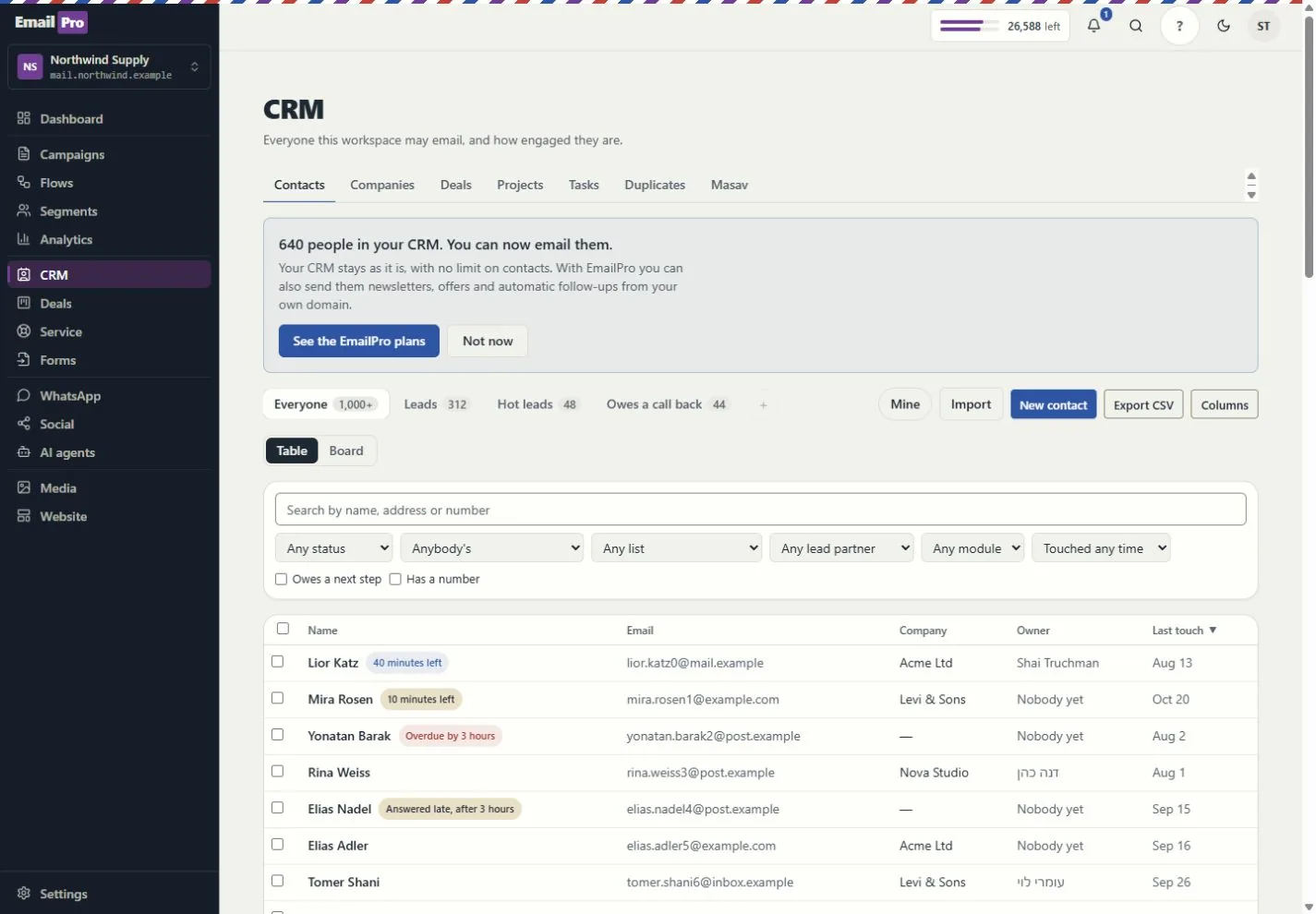
What each tool does, and what needs a connection
Build event-driven steps, review dependencies and simulation results, and inspect runs and delivery failures. Improvement proposals require review before applying a new version.
Simulation shows configured behaviour; it does not prove a provider will complete a live action.
Track deliverables, review requests, exceptions, dated hours and retainer periods. Compare assignment and deadline scenarios before changing the project.
Scenario results are estimates based on the recorded inputs, not guaranteed profit or capacity.
Give assistants approved company and project context. Review sources, refresh status and access rather than copying customer information into every prompt.
Answers depend on source quality and the permissions of the person asking.
Review the proposed action, scope and cost. Follow the request, plan, approval, tool call and recorded effect; supported MCP tools use the same access rules.
Some actions remain human-only. MCP coverage is documented per tool, not promised for every screen.
Use customer journeys, campaign attribution and recorded outcomes. Search and AI visibility distinguish appearances, citations, referrals and conversions.
Google Analytics needs authorised setup; search imports and manual experiments are not live ranking or citation guarantees.
Use availability, meeting pages and the coaching kits. Link an existing payment request to the appointment and keep the customer record in context.
Google Calendar and payment providers need authorisation. Linking a request does not charge the customer or make payment a booking condition.
Email uses the monthly plan allowance. Israeli SMS uses verified prepaid packages; international SMS and calling use the wallet. SMS counts parts, not just recipients.
An own-provider account is separate. Provider charges and connection requirements still apply.
Connect supported providers, the WordPress lead plugin, Zapier or Make adapters, and signed webhooks. Inspect connection health and failed webhook deliveries.
Installation and authorisation are required. Marketplace publication is not claimed.
Export supported fields, pipelines, modules, lists, segments, templates, forms and automation definitions. Preview import compatibility before writing.
Structural export is not a full backup or a promise that every external platform can import it.
Connect campaigns, creator codes, orders, refunds and gifting with supported store data. Keep client review, project deliverables and retainer work in the same operating context.
Store connections and client-portal access require setup and the relevant entitlement. Attribution is based on recorded data, not guaranteed sales.
Run the supported business-task evaluations and review saved results, failures and model cost. Inspect media review and cleaning status before using uploaded content.
An internal evaluation is not an independent security audit. Media cleaning and external providers depend on the configured runtime.
Check the plan, permissions and connection requirements before activation.