Campaigns
A one-off text to a segment: a sale, an event or a launch. A campaign is created as an SMS campaign from the start, previewed with its segment count, and sent only after a person approves it.
SMS marketing
EmailPro sends SMS campaigns, automated texts and one-time codes to the same contact list that receives your email. Texts go out under a sender name registered for your business, the editor counts the exact number of billable segments while you type, and a reply asking to stop removes the person from every channel at once, not only from texts.
Four kinds of message, one list and one consent record.
A one-off text to a segment: a sale, an event or a launch. A campaign is created as an SMS campaign from the start, previewed with its segment count, and sent only after a person approves it.
A text as one step of an automation: an order confirmation, a reminder before an appointment, or a nudge to people who did not open yesterday's email. The expensive channel reaches only the people the cheaper one missed.
Verification codes through a two-call API: request a code, then check it. Codes live five minutes, allow five attempts, and a new request cancels the previous one. They are sent at once, never behind a campaign.
Texts that come back are recorded on the contact. A stop reply in English or Hebrew opts the person out of every channel, and the change is written to the audit log with the message that caused it.
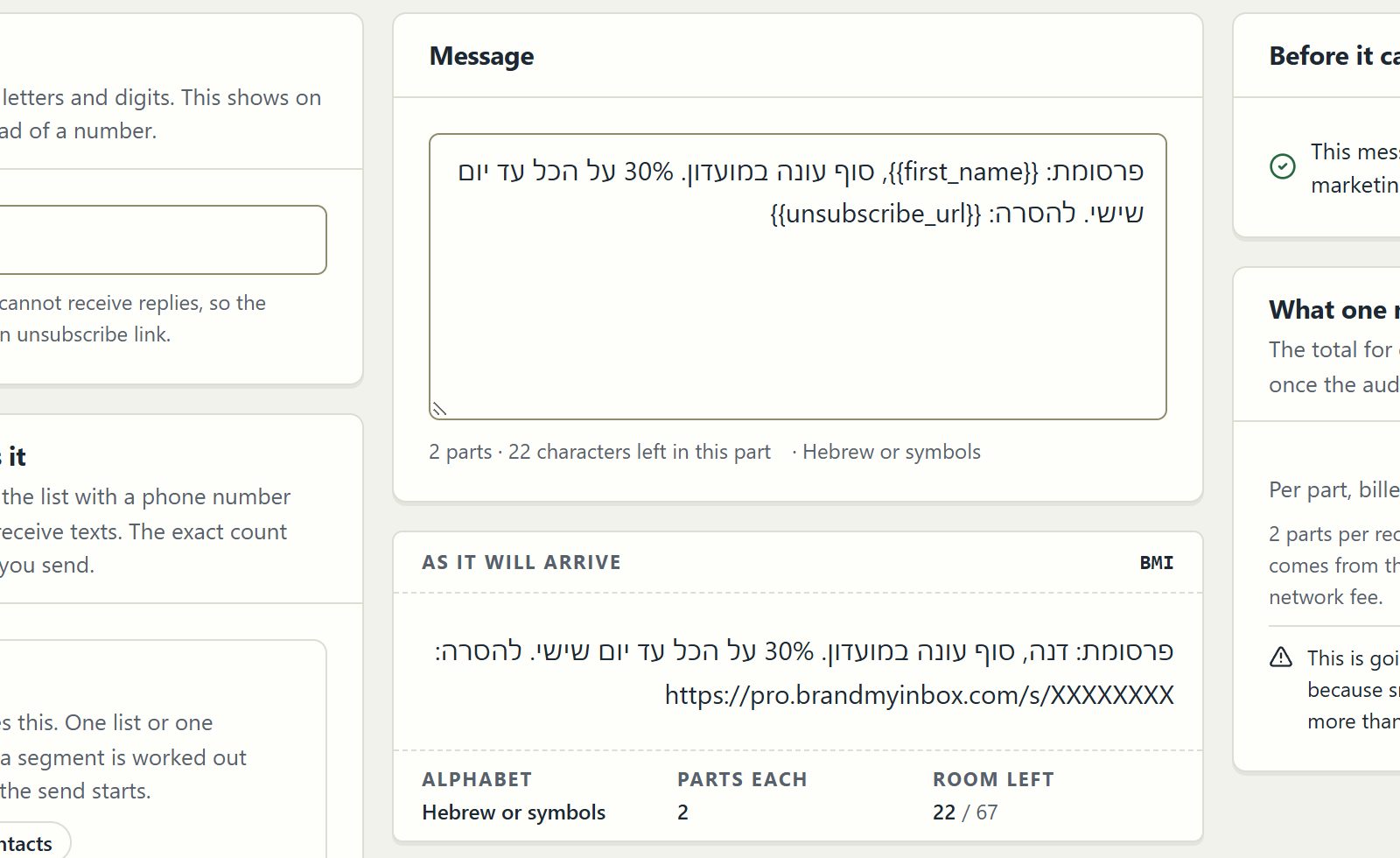
Text messages are billed per segment, not per message. Latin text uses the GSM-7 encoding; a single Hebrew, Arabic or emoji character switches the whole message to UCS-2, which holds fewer characters.
| Message | First segment | Each further segment | A 200-character message |
|---|---|---|---|
| Plain Latin text (GSM-7) | 160 characters | 153 characters | 2 segments |
| Hebrew, Arabic or any emoji (UCS-2) | 70 characters | 67 characters | 3 segments |
The editor counts the shortened unsubscribe link at its real length, so the number on the screen is the number that is billed.
Carriers will not show a business name until it is registered with them. You request the name in settings, and until it is approved your texts go out under the platform's own registered sender identity.
Consent to email is not consent to texts. Each contact's consent is stored per channel with its date and source, and campaigns go only to people who said yes to SMS.
Write the message, add the unsubscribe link and watch the segment count. Quiet hours hold a marketing text until the morning instead of sending it at night.
The same human approval as an email campaign, then a delivery report for every recipient. Replies arrive on the contact record.
Most businesses that text their customers keep the numbers in one tool and the email addresses in another. The two lists drift: a person unsubscribes from email and keeps receiving texts, or a complaint arrives and nobody can show when and where that person agreed to receive marketing. Keeping both channels on one contact, with consent stored per channel, removes both problems.
It also changes what an automation can do. A flow can send an email first and a text only to the people who did not open it within two days, so the channel that costs more per message is spent only where the cheaper one failed. Quiet hours and holiday rules apply to texts exactly as they apply to email.
Texts to Israeli numbers go through a dedicated Israeli carrier, and texts to other countries through an international carrier; the route is chosen per number. As a paid add-on, switched on for the workspace on request, a business with its own account at our Israeli carrier can send from its own number and be billed by the carrier directly, while every rule about consent, quiet hours and opt-out stays the same.
Three situations where another tool, or another channel, will serve you better.
EmailPro sends text messages. There is no MMS: if your campaign depends on an image arriving inside the message, use email or an approved WhatsApp template with media instead.
Registering a sender name with the carriers takes some working days, and some countries do not allow alphanumeric sender names at all. Until the name is approved, texts go out under the platform's registered sender identity rather than your brand, which affects how many people recognise them.
If your contacts agreed only to email, you cannot text them marketing. Collect SMS consent first with a form or at checkout; a text to people who never agreed is the fastest way to complaints and blocked sender names.
Clear answers
Open an account, import a list with its consent records and connect one channel. Nothing is sent until a person approves it.
Open an accountExplore the current workspace
The builders, CRM and operational tools now share more of the journey. Start with a draft, review the next action, and follow the recorded result in the same workspace.
Edit in the page itself, switch between desktop, tablet and phone, and review changes before publishing. Pages, versions and professional kits use the shared canvas in Brand My Inbox and EmailPro.
Forms can create CRM inquiries. Joining a mailing list requires a separate consent choice.
Explore this capability: A canvas for websites and landing pages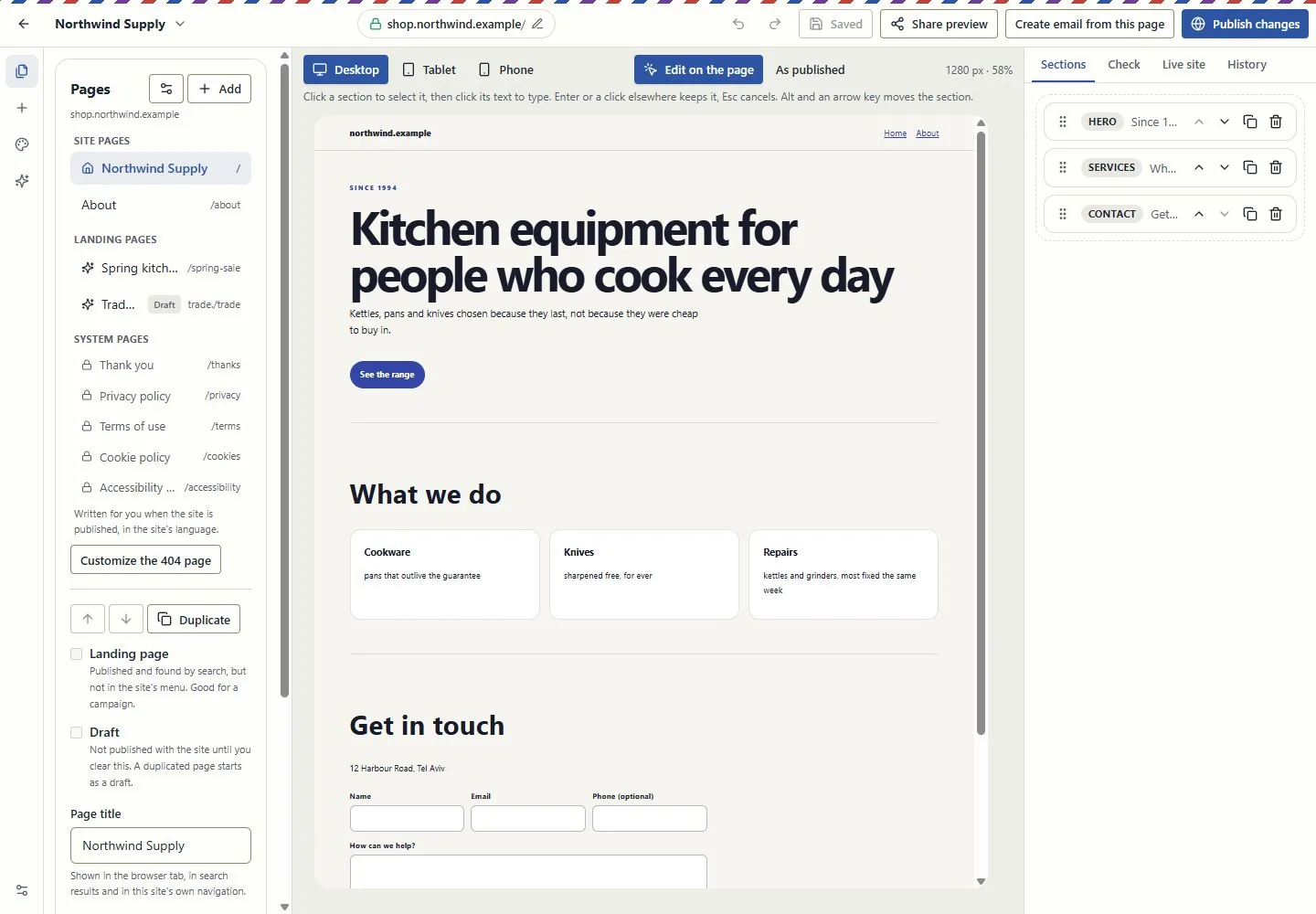
Work at real reading widths, edit text in the email, reorder blocks and inspect dark-mode and mail-client simulations. Keep the landing page and campaign connected through the supported conversion tools.
A simulation is not an inbox test. Review recipients, exclusions and sender identity before sending.
Explore this capability: Design the email in the email itself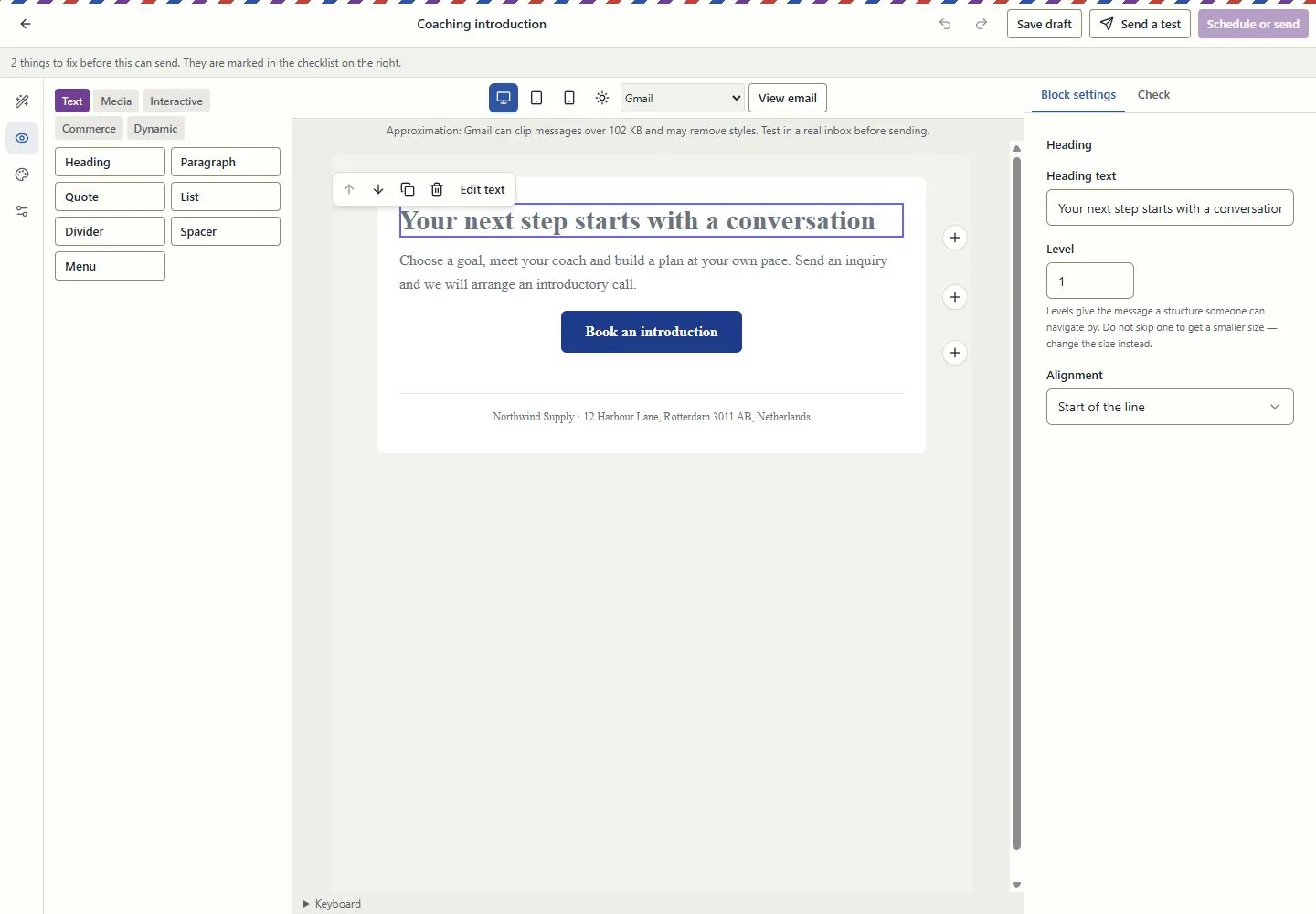
Connect contacts, companies, deals, service requests and projects. Use owners, queues, tasks, deliverables and approvals to see who does what next.
Visibility follows roles and record access. Inquiry forms do not grant marketing consent.
Explore this capability: Customer work beyond a contact list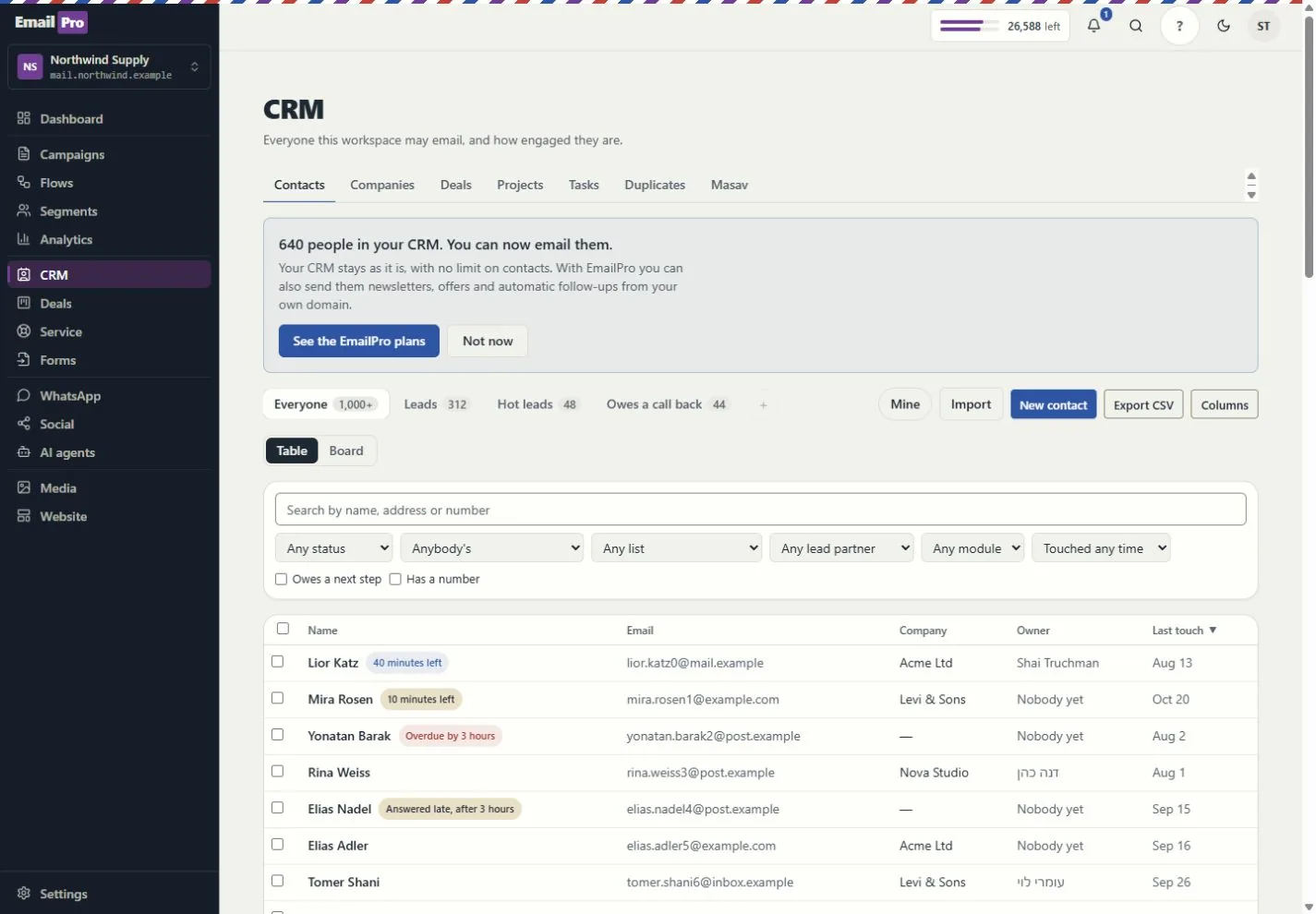
What each tool does, and what needs a connection
Build event-driven steps, review dependencies and simulation results, and inspect runs and delivery failures. Improvement proposals require review before applying a new version.
Simulation shows configured behaviour; it does not prove a provider will complete a live action.
Track deliverables, review requests, exceptions, dated hours and retainer periods. Compare assignment and deadline scenarios before changing the project.
Scenario results are estimates based on the recorded inputs, not guaranteed profit or capacity.
Give assistants approved company and project context. Review sources, refresh status and access rather than copying customer information into every prompt.
Answers depend on source quality and the permissions of the person asking.
Review the proposed action, scope and cost. Follow the request, plan, approval, tool call and recorded effect; supported MCP tools use the same access rules.
Some actions remain human-only. MCP coverage is documented per tool, not promised for every screen.
Use customer journeys, campaign attribution and recorded outcomes. Search and AI visibility distinguish appearances, citations, referrals and conversions.
Google Analytics needs authorised setup; search imports and manual experiments are not live ranking or citation guarantees.
Use availability, meeting pages and the coaching kits. Link an existing payment request to the appointment and keep the customer record in context.
Google Calendar and payment providers need authorisation. Linking a request does not charge the customer or make payment a booking condition.
Email uses the monthly plan allowance. Israeli SMS uses verified prepaid packages; international SMS and calling use the wallet. SMS counts parts, not just recipients.
An own-provider account is separate. Provider charges and connection requirements still apply.
Connect supported providers, the WordPress lead plugin, Zapier or Make adapters, and signed webhooks. Inspect connection health and failed webhook deliveries.
Installation and authorisation are required. Marketplace publication is not claimed.
Export supported fields, pipelines, modules, lists, segments, templates, forms and automation definitions. Preview import compatibility before writing.
Structural export is not a full backup or a promise that every external platform can import it.
Connect campaigns, creator codes, orders, refunds and gifting with supported store data. Keep client review, project deliverables and retainer work in the same operating context.
Store connections and client-portal access require setup and the relevant entitlement. Attribution is based on recorded data, not guaranteed sales.
Run the supported business-task evaluations and review saved results, failures and model cost. Inspect media review and cleaning status before using uploaded content.
An internal evaluation is not an independent security audit. Media cleaning and external providers depend on the configured runtime.
Check the plan, permissions and connection requirements before activation.