Connect your assistant
One connect line in Claude or any MCP assistant, approved in your browser. Or skip it and use the dashboard directly.
EmailPro, by Brand My Inbox
Tell Claude — or any MCP assistant — what you want. EmailPro plans it, writes it, builds the forms and shows you a real preview. Nothing sends until a person approves, and then it goes out from your own domain, fully authenticated.
No card required · Human approval before every send · EU infrastructure in Frankfurt
Planned it: a signup form with double opt-in, a welcome email carrying the discount code, and a birthday automation. Everything is built as drafts.
plan_club ✓create_club ✓
The join link is ready for a QR code at the counter. The send approval is waiting for you on the dashboard.
request_approval ✓
One sentence
from idea to a campaign that is planned, written and previewed
Human approval
an assistant can prepare everything and send nothing
Your own domain
SPF, DKIM and DMARC — not a shared provider address
One connect line in Claude or any MCP assistant, approved in your browser. Or skip it and use the dashboard directly.
A campaign, a customer club, a welcome series. The assistant plans, writes and picks the audience — everything lands as drafts.
A real preview, rendered for a real recipient. Approval happens on the dashboard, for a specific version, by a person.
The send goes out from your domain; the report shows deliveries, opens, clicks and revenue.
Connect an interactive assistant:
claude mcp add emailpro https://mcpemailpro.brandmyinbox.com/mcpThe assistant can plan, write, preview and request approval. There is no approve tool and there never will be — an agent that approves its own sends is the loophole, so approving stays on the dashboard, behind a session.
The assistant is a way of working, not a substitute for a system. What it prepares, you open and edit like a draft you wrote yourself.
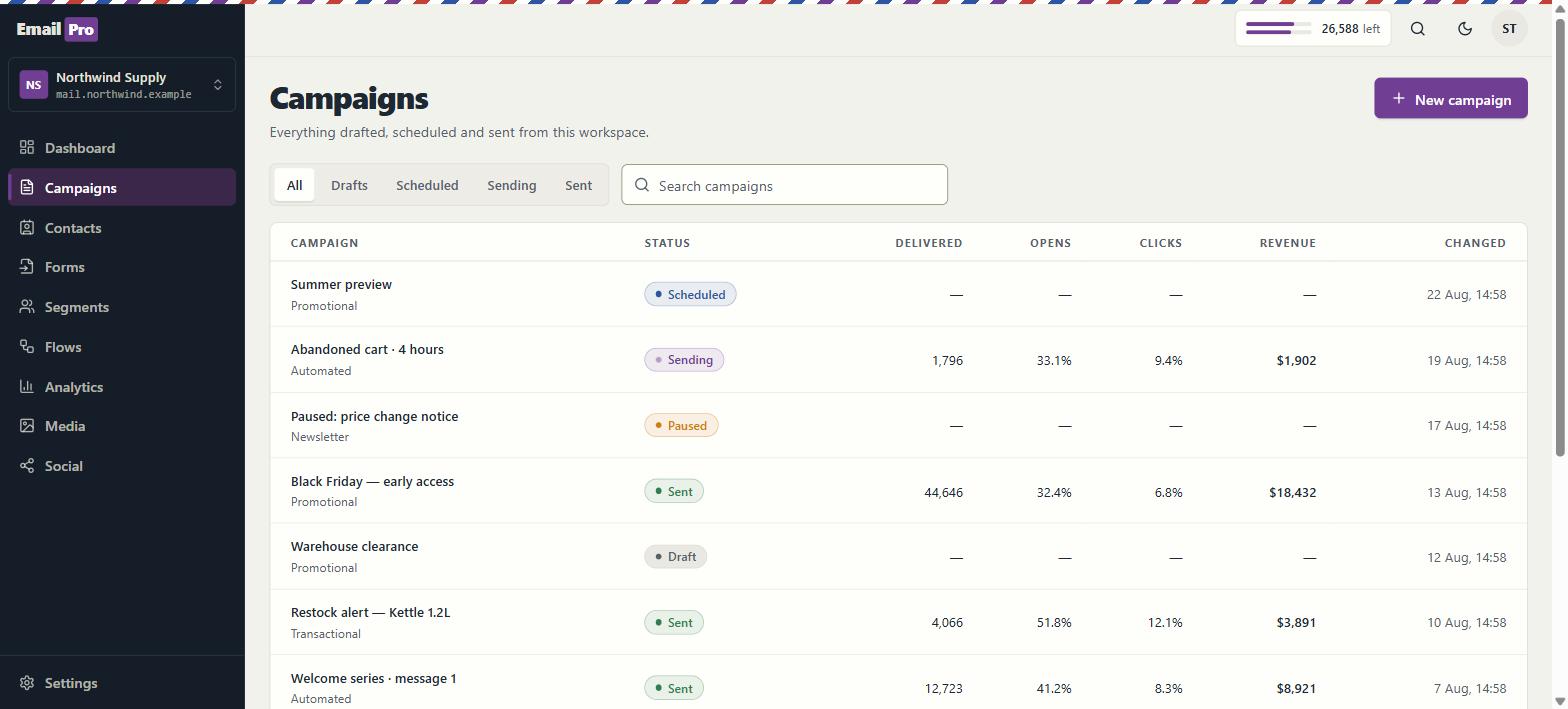
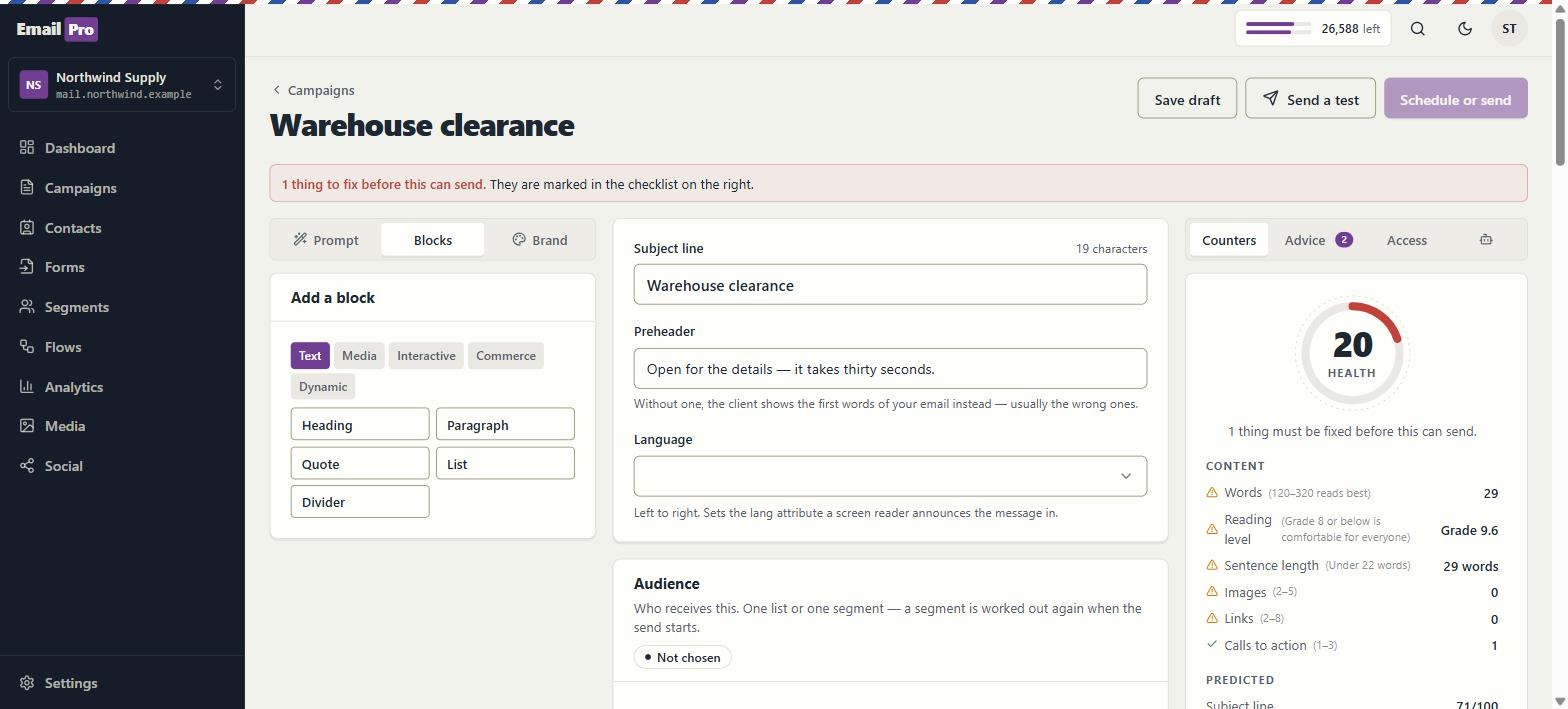
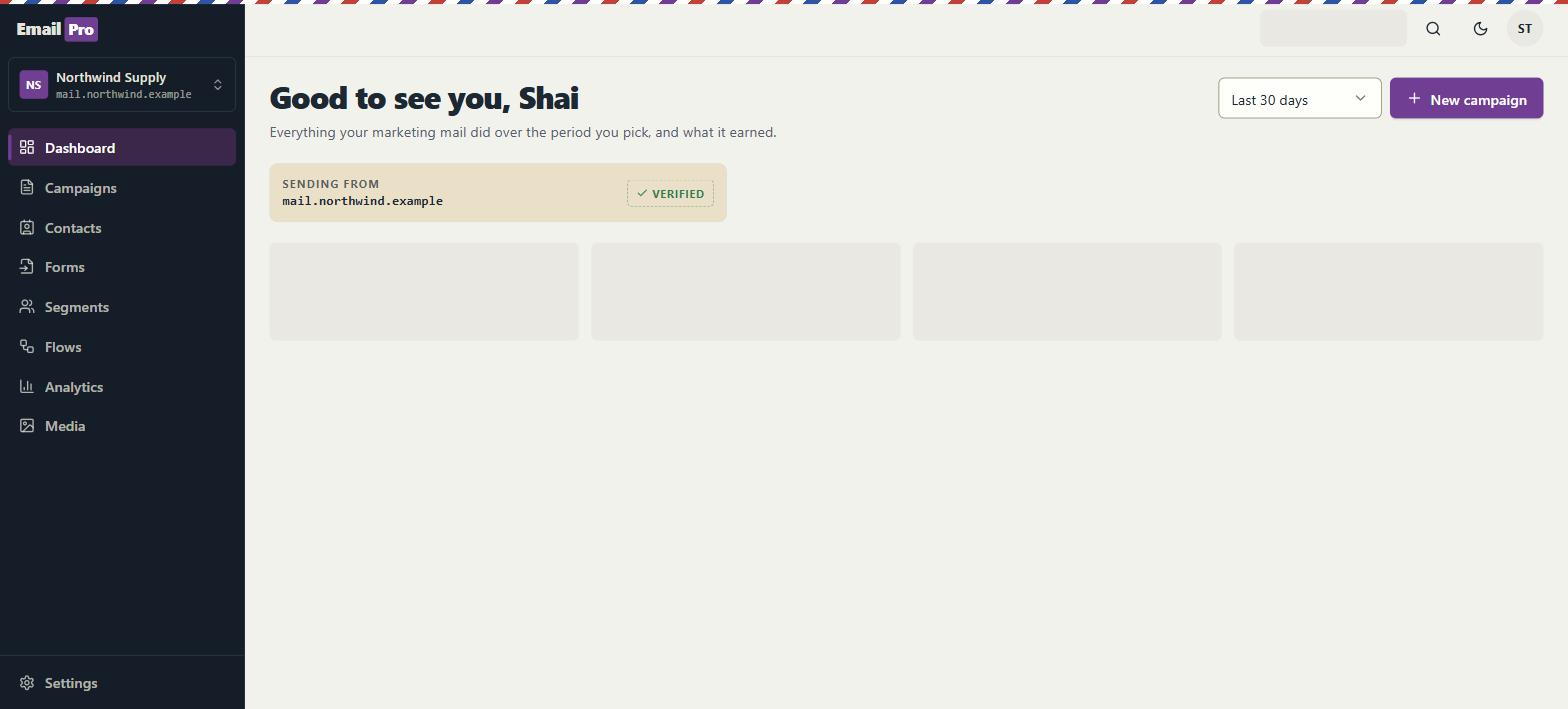
Edit text in the email, reorder blocks and preview desktop, tablet and phone reading widths. Inspect dark-mode and mail-client simulations, then send a real inbox test before launch.
Configure event-triggered journeys, conditions and delays. Marketing steps enforce the sending rules and include preference links; check recipient consent and sender details before activation.
Bought this quarter, went quiet for ninety days, joined this week — live segments that update themselves, instead of exported lists that age.
Every list gets a signup form or landing page, ready to sit behind a QR code at the counter. Every join is recorded with its source and time.
Date, source and IP address, written once and exportable. If a complaint ever arrives, you have the file — not a checkbox you hope was ticked.
Documented endpoints and supported MCP tools connect your assistant to the platform under your permissions. Some capabilities remain dashboard-only; approval stays with a person.
Start free and stay free as long as it fits. Paid tiers differ in volume, not in core features — the editor, the automations and the consent file are in every one. Pay yearly and get two months free.
$0forever
$390/year
Ten months' price — two months free
$990/year
Ten months' price — two months free
$2,990/year
Ten months' price — two months free
$9,990/year
Fair use on Business: the published complaint and bounce thresholds apply, and sending above 50,000 messages a month requires warm-up, list hygiene, and no purchased lists. Beyond that volume — Enterprise is negotiated, not sold from a page.
Clear answers
One connected platform
Your website, forms, CRM, campaigns and automations work in the same workspace. Use the screens or connect an MCP assistant to the supported tools, with the same access rules.
A website or landing-page form creates a CRM inquiry. Joining a marketing list requires a separate consent choice.
Use owners, tasks, deal stages and configured automations to track the next action. Connect booking when the customer needs a meeting.
Review the draft before publishing or sending. Reports show recorded delivery and customer activity; provider data requires an authorised connection.
Edit in the shared canvas, connect forms and review changes before publishing on a configured address.
Keep contacts, inquiries, deals, tasks and conversation history together, with team access controls.
Build event-triggered flows with conditions and delays. Review the draft and sending rules before enabling it.
Prepare campaigns, segments and signup forms in EmailPro. The free plan includes 1,800 emails a month and up to 500 contacts.
Track project tasks, deliverables, reviews and capacity alongside the customer context, according to your role.
Connect an existing booking page, configure availability and authorise Google Calendar. A reviewed CRM payment request can be linked to the same customer’s appointment; linking does not charge automatically.
Give assistants reviewed business knowledge and configured tools. Keep customer conversations in context and test the agent before release.
Connect supported store, calendar and analytics providers with their required permissions. Inspect each connection; an available adapter is not an active account connection.
Use the WordPress lead plugin with supported form builders, or configure the Zapier and Make adapters and signed webhooks. These require installation and authorisation; marketplace publication is not claimed.
Reuse uploaded assets and prepared content across your site, landing pages and campaign drafts. Review each placement before publishing.
Connect a compatible assistant to the documented tools. It can inspect and prepare supported actions under your permissions; human-only approvals remain in the product.
Choose a kit for services, clinics, contractors, restaurants, shops, consultants, real estate, creators or personal, fitness and career coaching. Each starts with an editable site, a campaign-page draft and industry CRM setup.
For a business that sells its time and skill: inquiries, quotes, scheduled work and repeat customers.
For a practice that sees people by appointment: first inquiries, an intake call, the first session and reminders.
For projects that start with a site visit: inquiries, visits, detailed quotes, scheduling and handover.
For a place people visit: opening hours, table requests, and the bigger conversations about events, groups and catering.
For a brand that sells online: clear policies, customer questions, wholesale inquiries and returning customers.
For expertise sold as projects or retainers: discovery calls, proposals, engagements and renewals.
For an agent or agency: buyers and renters, property owners, viewings, offers and closing.
For someone who teaches: courses, workshops, a mailing list, students and group bookings from organisations.
For personal, fitness, career and other coaches: discovery, availability-based sessions, client follow-up and reviewed payment arrangements.
Installed site content is available in Hebrew and English. Review business details, forms, consent wording, destination lists and draft automations. Calendar, payment and store connections require separate setup; the kits do not include a native checkout or medical-record system.
Explore the current workspace
The builders, CRM and operational tools now share more of the journey. Start with a draft, review the next action, and follow the recorded result in the same workspace.
Edit in the page itself, switch between desktop, tablet and phone, and review changes before publishing. Pages, versions and professional kits use the shared canvas in Brand My Inbox and EmailPro.
Forms can create CRM inquiries. Joining a mailing list requires a separate consent choice.
Explore this capability: A canvas for websites and landing pages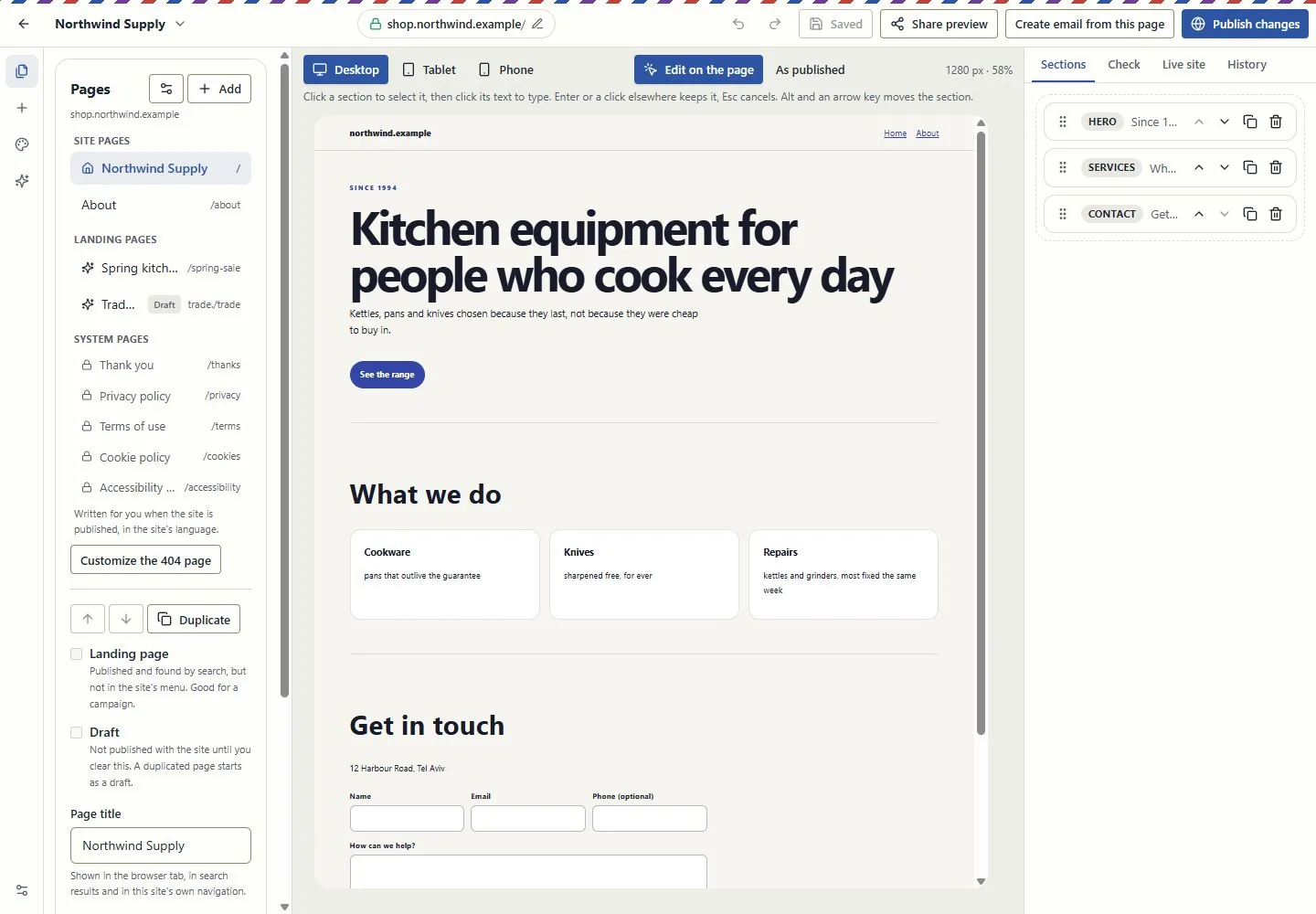
Work at real reading widths, edit text in the email, reorder blocks and inspect dark-mode and mail-client simulations. Keep the landing page and campaign connected through the supported conversion tools.
A simulation is not an inbox test. Review recipients, exclusions and sender identity before sending.
Explore this capability: Design the email in the email itself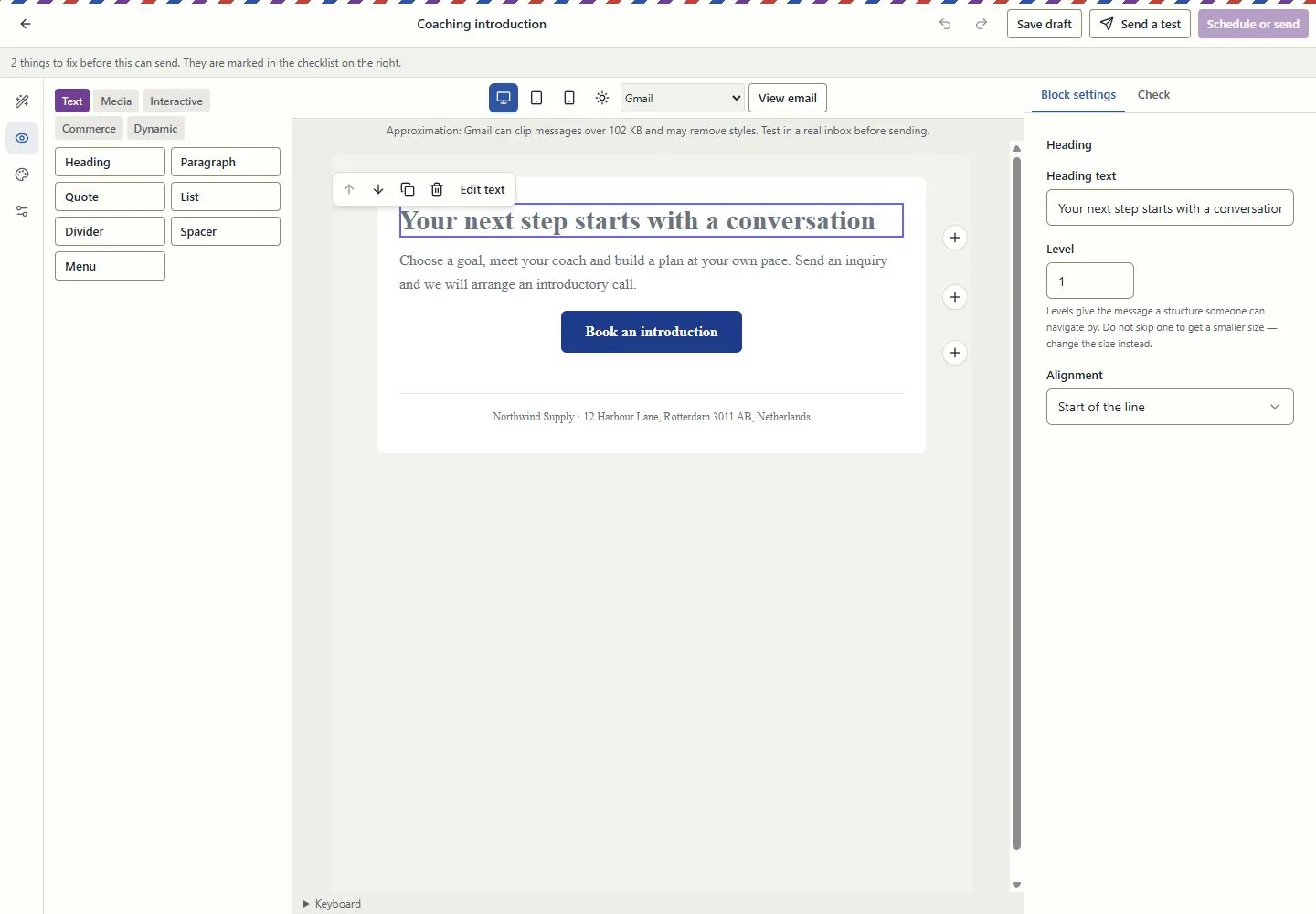
Connect contacts, companies, deals, service requests and projects. Use owners, queues, tasks, deliverables and approvals to see who does what next.
Visibility follows roles and record access. Inquiry forms do not grant marketing consent.
Explore this capability: Customer work beyond a contact list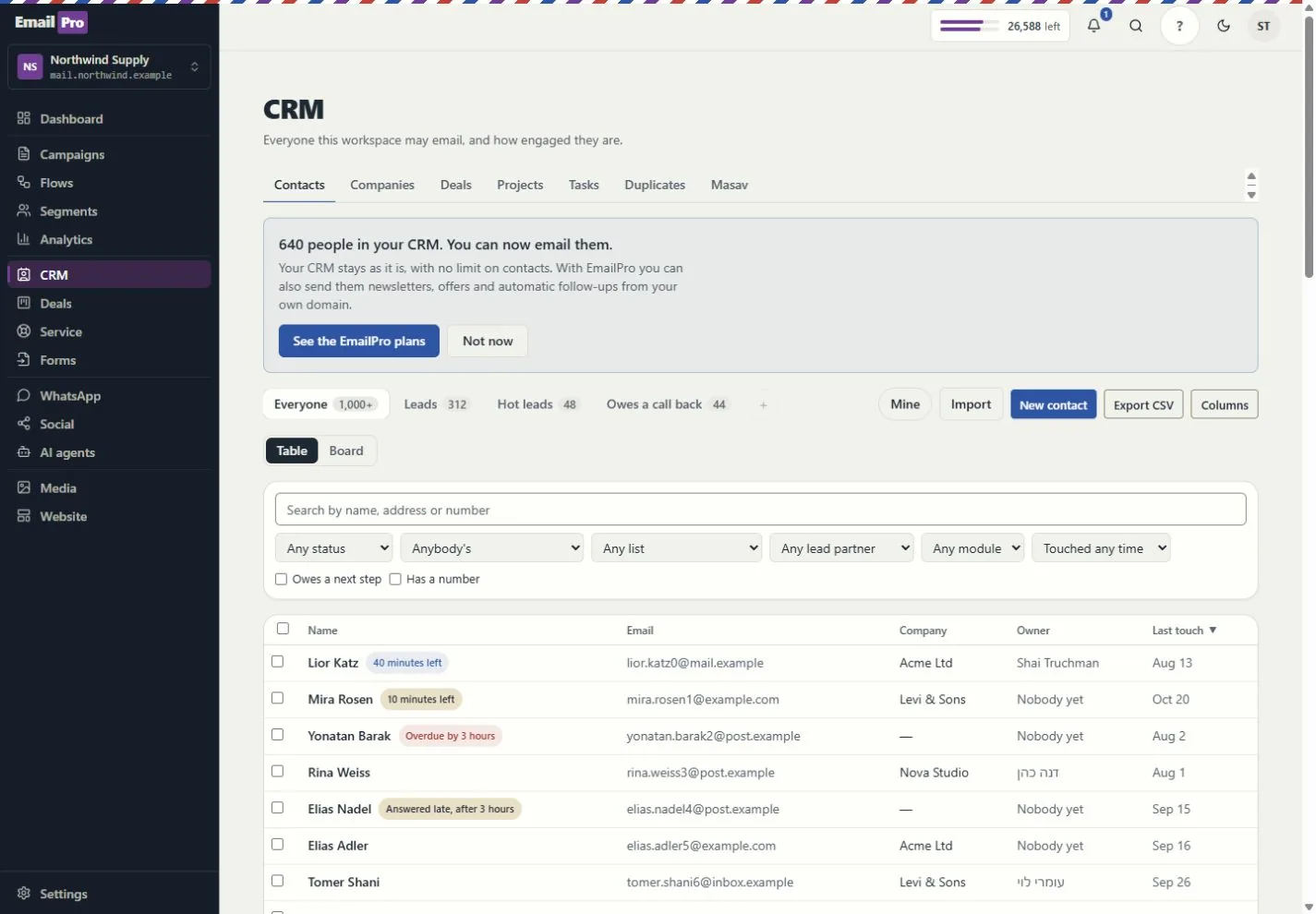
What each tool does, and what needs a connection
Build event-driven steps, review dependencies and simulation results, and inspect runs and delivery failures. Improvement proposals require review before applying a new version.
Simulation shows configured behaviour; it does not prove a provider will complete a live action.
Track deliverables, review requests, exceptions, dated hours and retainer periods. Compare assignment and deadline scenarios before changing the project.
Scenario results are estimates based on the recorded inputs, not guaranteed profit or capacity.
Give assistants approved company and project context. Review sources, refresh status and access rather than copying customer information into every prompt.
Answers depend on source quality and the permissions of the person asking.
Review the proposed action, scope and cost. Follow the request, plan, approval, tool call and recorded effect; supported MCP tools use the same access rules.
Some actions remain human-only. MCP coverage is documented per tool, not promised for every screen.
Use customer journeys, campaign attribution and recorded outcomes. Search and AI visibility distinguish appearances, citations, referrals and conversions.
Google Analytics needs authorised setup; search imports and manual experiments are not live ranking or citation guarantees.
Use availability, meeting pages and the coaching kits. Link an existing payment request to the appointment and keep the customer record in context.
Google Calendar and payment providers need authorisation. Linking a request does not charge the customer or make payment a booking condition.
Email uses the monthly plan allowance. Israeli SMS uses verified prepaid packages; international SMS and calling use the wallet. SMS counts parts, not just recipients.
An own-provider account is separate. Provider charges and connection requirements still apply.
Connect supported providers, the WordPress lead plugin, Zapier or Make adapters, and signed webhooks. Inspect connection health and failed webhook deliveries.
Installation and authorisation are required. Marketplace publication is not claimed.
Export supported fields, pipelines, modules, lists, segments, templates, forms and automation definitions. Preview import compatibility before writing.
Structural export is not a full backup or a promise that every external platform can import it.
Connect campaigns, creator codes, orders, refunds and gifting with supported store data. Keep client review, project deliverables and retainer work in the same operating context.
Store connections and client-portal access require setup and the relevant entitlement. Attribution is based on recorded data, not guaranteed sales.
Run the supported business-task evaluations and review saved results, failures and model cost. Inspect media review and cleaning status before using uploaded content.
An internal evaluation is not an independent security audit. Media cleaning and external providers depend on the configured runtime.
Check the plan, permissions and connection requirements before activation.