Chrome extension for Gmail

Write, track and manage customers from inside Gmail

The Brand My Inbox extension adds a compose bar to Gmail, shows what happens after you send (opens, clicks and replies), and puts your customer's CRM card beside every email. Tracking is off until you switch it on, and the AI only ever writes drafts that you send yourself.

The platform behind it

Free to install. Needs a Brand My Inbox account; Demo mode lets you try every screen first.

What does the extension do in Gmail?

Track what happens after you send

Opens, link clicks and replies, per message and per recipient. Automatic opens from mail apps that preload images are told apart from opens by a person, so a robot does not fool you. Tracking is off until you switch it on, and you choose it for each message.
Your CRM card beside every email

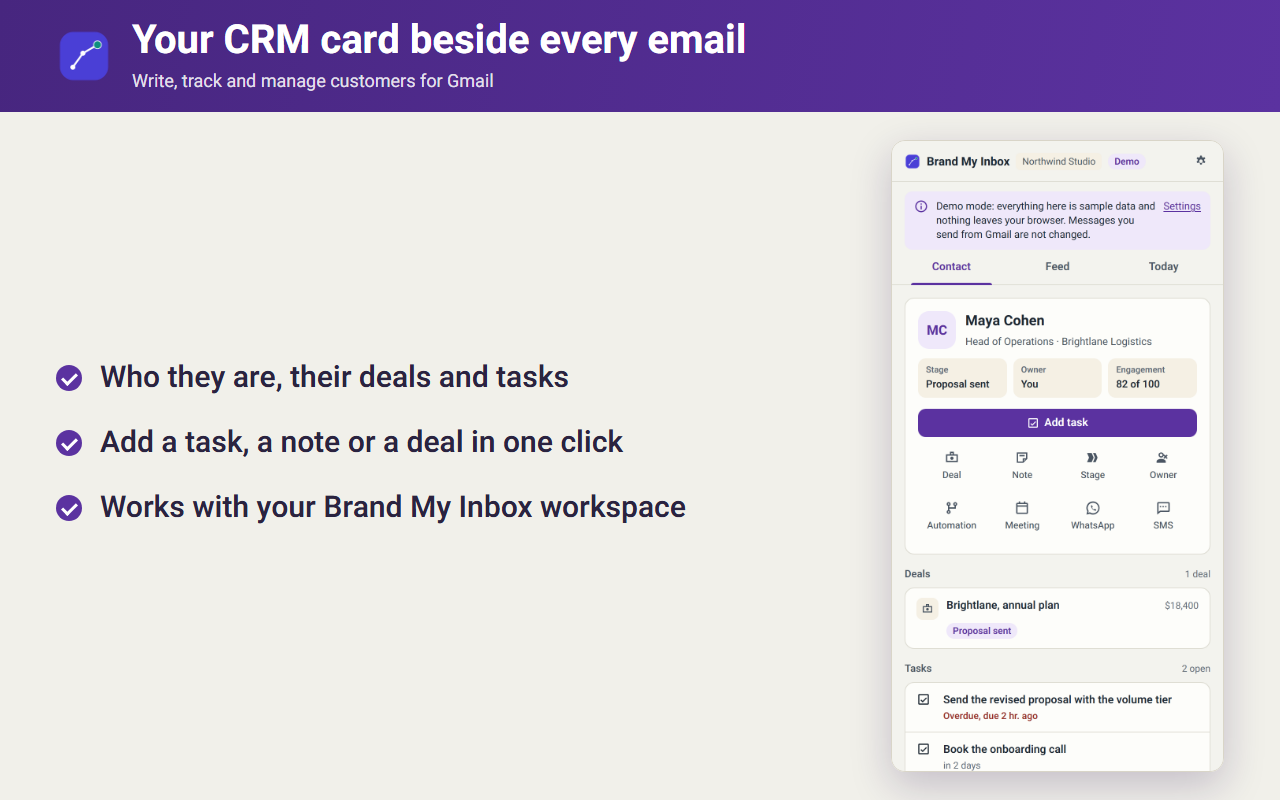
Open an email and the side panel shows who the person is: stage, owner, deals, tasks and the history across email, WhatsApp, SMS and meetings. Add a task, a note or a deal in one click. A Today tab lists what is overdue and what is next.

AI drafts you stay in charge of

Ask for a draft or a summary from the open conversation. It is only ever a draft: you read it and you press Send. Each AI ability has its own switch and its own limit, and nothing is sent by the AI on its own.

A bar inside the Gmail compose window

Switch tracking on or off for the message, insert a saved template, schedule the send and set a follow-up reminder, in the normal compose window and in replies.

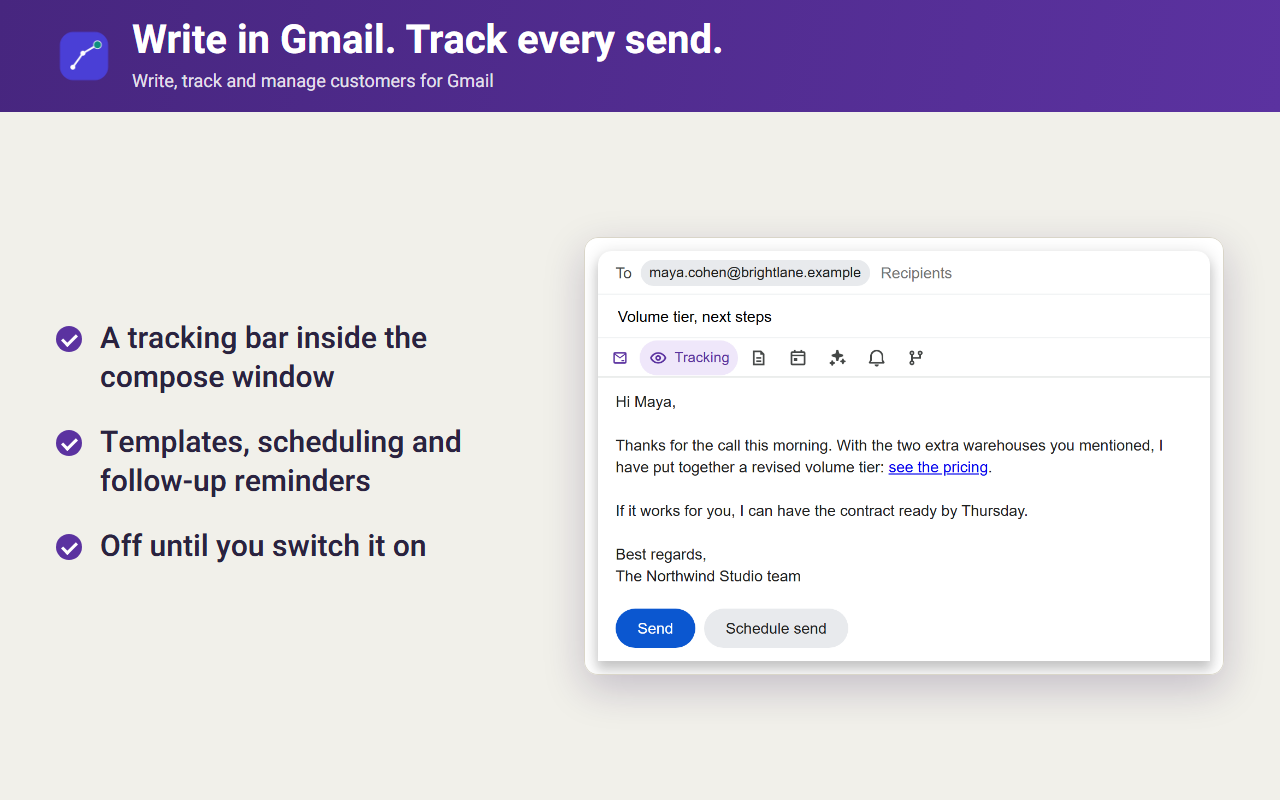
The Brand My Inbox compose bar inside a Gmail draft, with the tracking switch on, a saved template, a scheduled send and a follow-up reminder
Write in Gmail and choose, message by message, whether to track it.
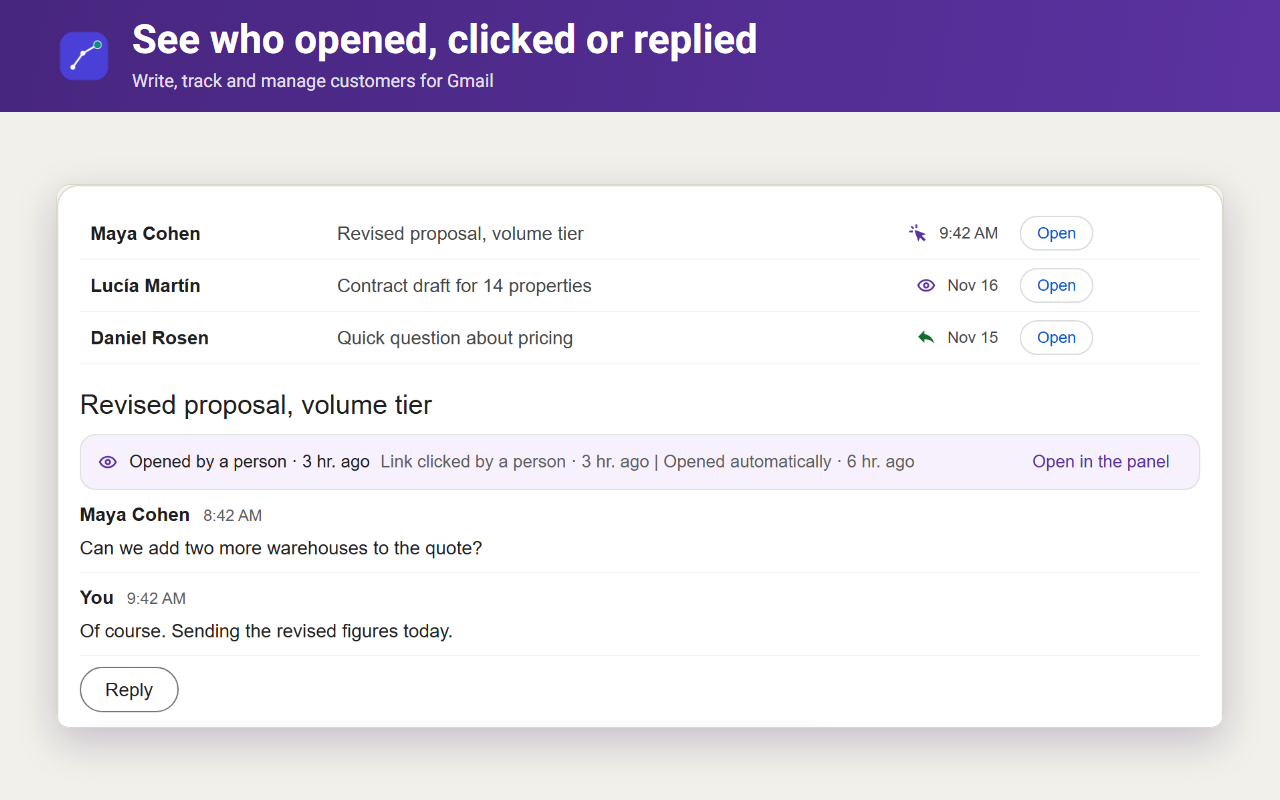
A Gmail conversation with a strip above it listing, for each recipient, whether the message was opened, a link was clicked and a reply arrived
See who opened, clicked or replied, per message and per recipient.
The side panel next to an open email showing the sender's CRM card with stage, owner, open deals, tasks and history across email, WhatsApp, SMS and meetings
The customer's CRM card beside every email.
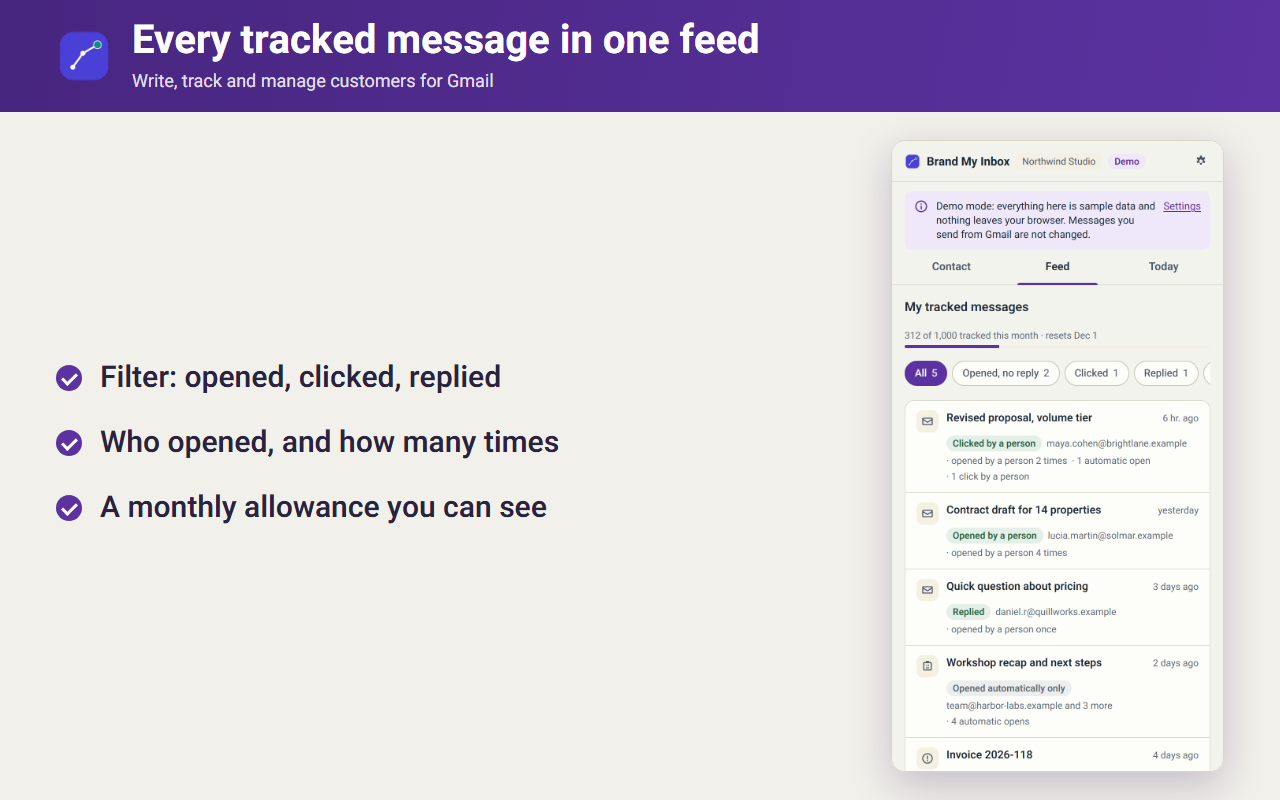
A feed in the side panel of every tracked message with its status, and the monthly tracking allowance used
Every tracked message in one feed, with the monthly allowance visible.
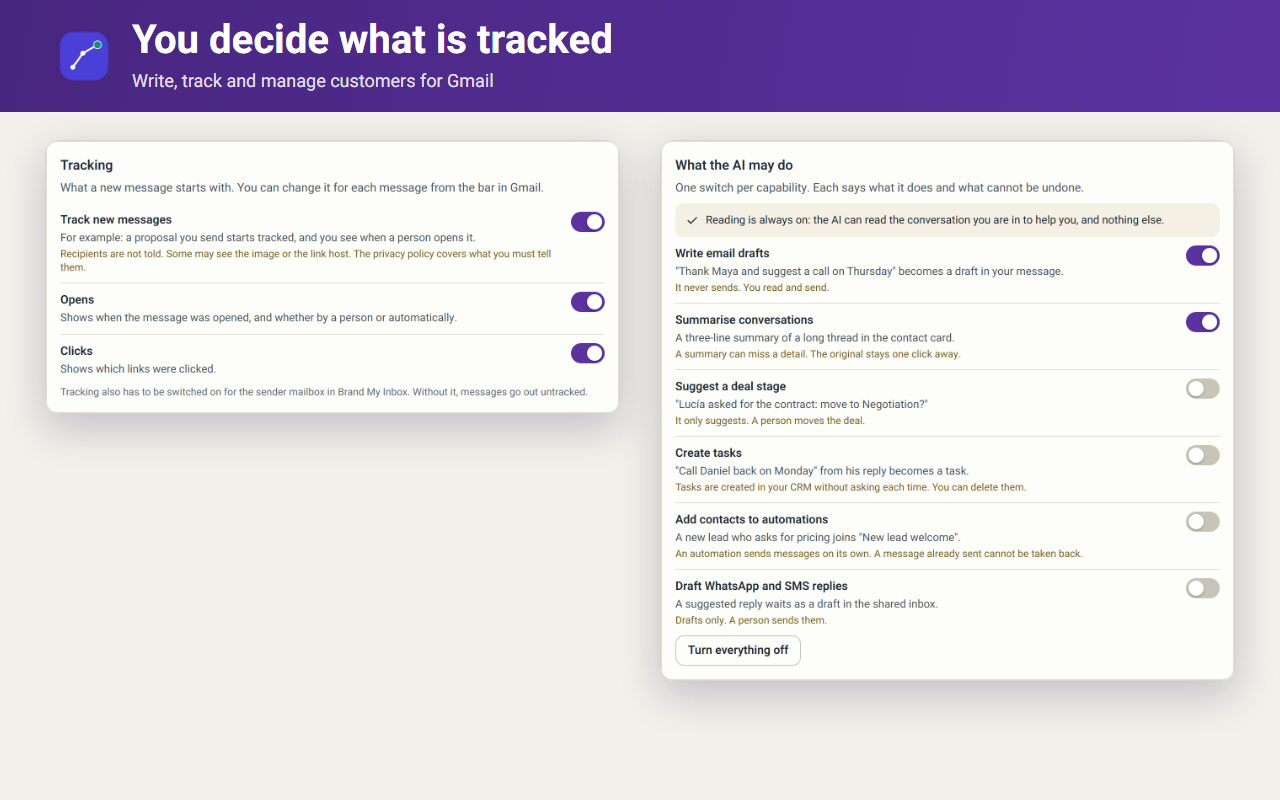
The extension settings showing tracking off by default, a consent screen, one switch per AI ability and a button to withdraw consent
Tracking is off until you switch it on, and you can withdraw consent at any time.

The screenshots use Demo mode and fictitious sample data.

Part of the Brand My Inbox and EmailPro platform

What is the platform the extension connects to?

The extension is the Gmail entry point to your account on the Brand My Inbox web platform, which also runs EmailPro, its marketing and CRM product. Everything on this list is a capability of the web app, not of the extension. The extension does not yet manage addresses or send from your domain; those are set up in the web app today.

Email on your own domain, delivered to the Gmail you already use

Create addresses such as [email protected] and receive them straight into your existing Gmail inbox, forwarded to one person or to several. Shared addresses, masked addresses and an optional catch-all are part of the same setup. It is priced per domain rather than as a mailbox subscription for every user, and the DNS records (SPF, DKIM and DMARC) are written, checked and monitored for you.

Domain email

A CRM on one record

Contacts, companies, deals on several pipelines, quotes, service tickets and tasks, on one timeline with every email, SMS and WhatsApp message.

CRM

AI agents

Assistants for your website, WhatsApp, Messenger and Instagram that answer from your own content, file leads in the CRM and hand over to a person.

AI agents

Marketing automation

Journeys across email, SMS, WhatsApp and the CRM, with goals, versions, rollback and a simulation on your own history before you switch one on.

Marketing automation

SMS and WhatsApp

SMS campaigns and automated texts, available by allocation, and WhatsApp through Meta's official API only, with one opt-out across channels.

SMS marketing

Websites, landing pages, forms and booking

A visual editor for sites and landing pages, forms that create CRM records with a consent record, and booking with availability that connects to Google Calendar.

Website builder

Email campaigns

Campaigns with A/B tests, segments and signup forms, a preview that shows the cost, and a person's approval before every send.

Email marketing

Guides on the own-domain side: a custom domain in Gmail without Workspace · replying as your own domain · Gmail send-as setup steps · one address, several people · catch-all addresses · SPF, DKIM and DMARC

What you stay in control of

  • Tracking is off until you switch it on, and you choose it for each message.
  • The first time, you are shown exactly what tracking involves and you agree or decline.
  • One switch per AI ability, each with its limit. Nothing is sent by the AI on its own.
  • You can withdraw consent and clear what the extension stores at any time from its settings.
  • No ads, no selling data, and your Google password is never asked for. Read the privacy policy.

Hebrew readers: the CRM and marketing side of the platform is described on emailpro.co.il. Brand My Inbox is an independent product and is not affiliated with Google. Gmail is a trademark of Google LLC.

Clear answers

Questions about the Gmail extension

See the CRM card beside your next email

Open an account, add the extension to Chrome and try it in Demo mode before you connect real mail.

Get started