Campaign landing pages
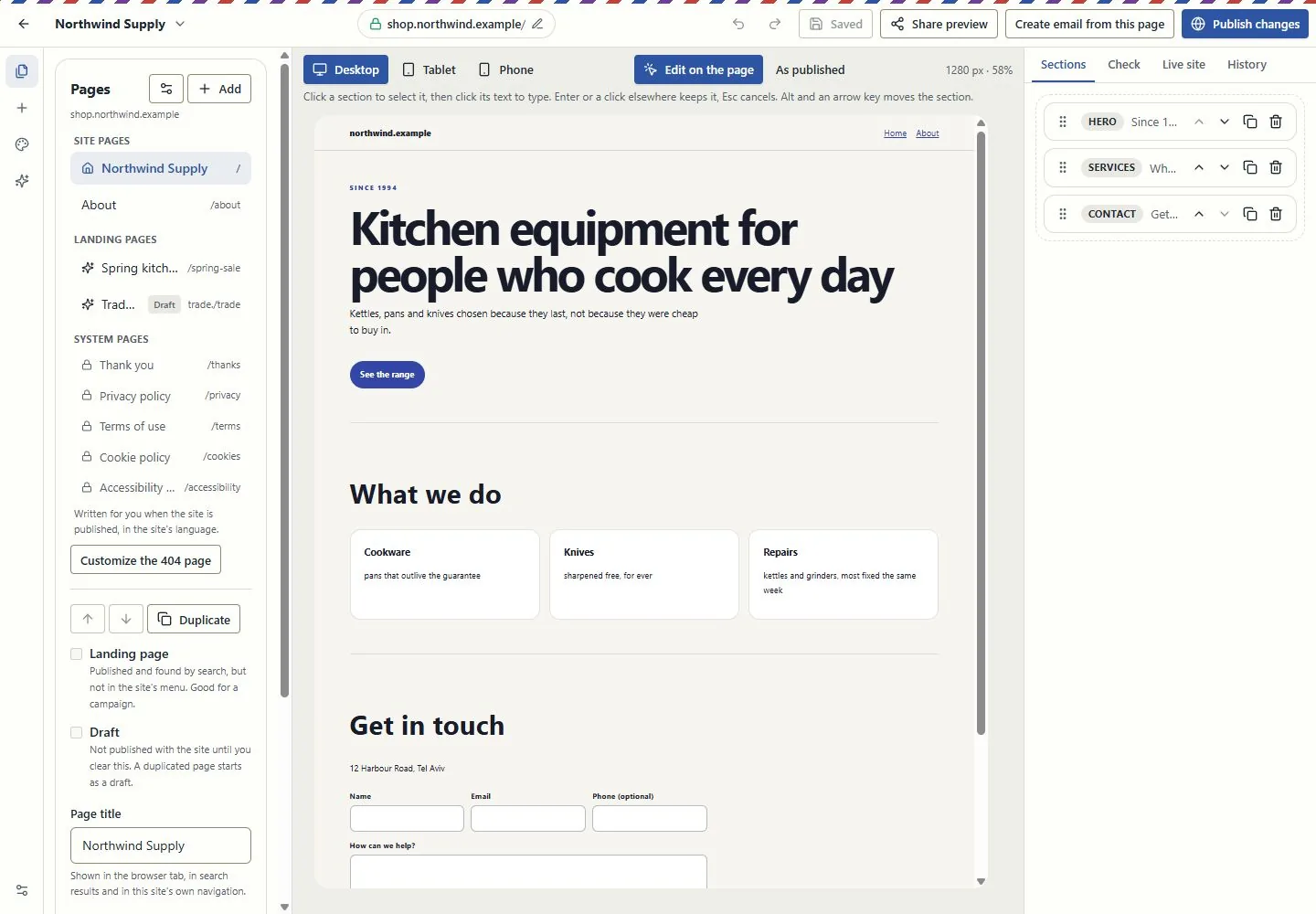
A page with a headline, images, products and a form, published at its own address. A landing page is found by search but kept out of your site's menu, which is what a campaign page should be.
Landing pages
A landing page in Brand My Inbox and EmailPro is a page with a signup form, built in a visual canvas and published at its own address, or the same form embedded in your site or printed as a QR code. Every signup goes straight to the list you chose with a consent record, becomes a contact in the CRM, and starts your welcome automation in the same second.
One canvas for pages and one form engine behind them, so a signup carries the same record whichever door it came through.
A page with a headline, images, products and a form, published at its own address. A landing page is found by search but kept out of your site's menu, which is what a campaign page should be.
A form you paste into a page of the site you already have. It feeds a list or a segment, and every field is stored on the contact so you can segment by it later.
The same form as a code to scan at a counter, an event or a shop window. A customer signs up before they leave and gets the welcome offer on the spot.
Turn a sent campaign into a page in one step, or create an email from a page. Merge tags take their default value on a page, because a page has no single recipient.
A change to a page that is already live goes through a review screen that shows exactly what changed, so an edit on a phone cannot publish a half-finished page.
Each signup becomes a contact with the form on their timeline, next to every email, text and conversation that follows. The welcome automation starts immediately.
Three shapes of the same form, and the same consent record behind each. The choice depends only on where the reader is when they decide to sign up.
| Shape | When it fits | What you need to start |
|---|---|---|
| Landing page | An ad, a post or a link in a message, when no page on your site fits | Nothing beyond the account: the page gets its own address |
| Embedded form | You have a site and the reader is already on the right page | One snippet pasted into the page |
| QR code | A counter, an event or a shop window | A printed code, and an offer the customer gets right there |
Every signup, in every shape, stores when it happened, where, from which IP address, the exact wording the person agreed to and for which channels.
Drag sections, edit text in place and check the phone preview. You can also ask the AI assistant to draft the page for you to edit.
Choose which list or segment the signups join, and whether a confirmation email is required before the signup counts.
The page gets its address and goes live. Later changes go through review first, so a mistake does not reach the public by accident.
Every signup starts the welcome automation at once and lands on the CRM record, with nobody importing anything at the end of the week.
Most landing page builders send the details to someone's inbox, and from there they reach the list by hand once a week, if at all. By then the moment has passed and nobody knows what the person actually agreed to. Here the signup is written to the list in the same request, with the record that answers the questions a complaint asks later.
That record holds the date and time, the page or form it came from, the IP address, the wording beside the checkbox on that day and the channels the person said yes to, separately for email and text messages. When double opt-in is on, the signup completes only after the confirmation click. It lowers the number of signups and raises the quality of the list, which is why it is worth switching on for anything that came from a giveaway or an ad.
Because the form writes to the CRM, the landing page is the start of a customer record rather than the end of a campaign. The form sits on the contact's timeline, and every email, reply, booking or deal that follows sits under it.
Three cases where a dedicated tool will serve you better.
Campaigns have A/B tests; landing pages do not have a split-testing engine with traffic allocation and statistical reports. If page experiments are your main job, keep them in a tool built for that.
A landing page collects signups and leads. Taking payment on the page itself belongs to the store and checkout tools, which are separate and not switched on everywhere.
An edit to a published page waits for review on purpose. A team that pushes dozens of live edits an hour will find that slower than a builder that publishes on every keystroke.
Clear answers
Open an account, import a list with its consent records and connect one channel. Nothing is sent until a person approves it.