Phases and milestones
A phase is a named date range; a milestone is a point to reach, planned, in progress, done or cancelled. Milestones are private by default, and only a person on your team can mark one as visible to the client.
Project management
Projects in EmailPro and Brand My Inbox live in the same account as the CRM: each project has phases, milestones, tasks and finish-to-start dependencies, with a timeline view that shows a bar for every phase. Its health is computed from dates, budget and delays rather than picked by hand. Every plan includes projects, and the free plan holds five open projects at a time.
The parts an agency or a service team actually tracks for a client, attached to the contacts, company and deals the project belongs to.
A phase is a named date range; a milestone is a point to reach, planned, in progress, done or cancelled. Milestones are private by default, and only a person on your team can mark one as visible to the client.
A task or milestone can wait for one other item in the same project. A dependency on itself or a loop of dependencies is refused when you save, so the plan never deadlocks.
Every project switches between a list and a timeline. On the timeline each phase is a bar, milestones and tasks are marked on it, and a line shows today.
Client website, software onboarding, service retainer, annual report, campaign launch and internal initiative. Each lays out phases by days from the start date, with its dependencies and tasks.
A project carries a budget and a currency, and a retainer also carries its monthly fee and hours. The budget line in project health is shown only to roles allowed to see money.
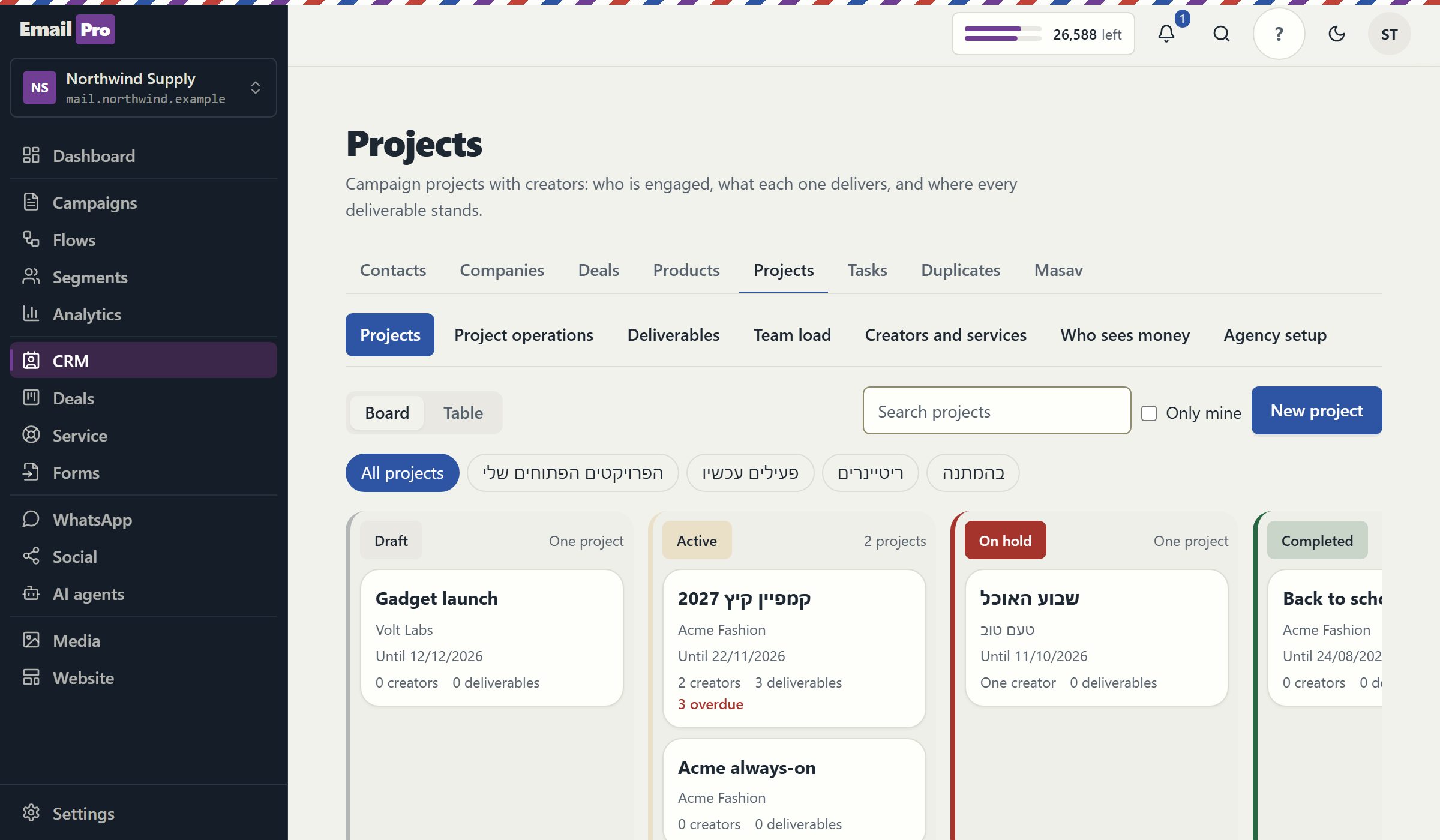
The project list shows as a board with a column per status or as a table, with a filter for your own projects. Each project links to the contacts, company and deals in the CRM.
The state is derived from the project's own data every time it is opened. Nobody picks a colour, so a project cannot stay green because someone forgot to update it.
| State | When it applies | What it tells the team |
|---|---|---|
| On track | Nothing late, no blocking dependency, and the budget under 90% | Keep to the plan |
| Needs attention | A late milestone, task or deliverable, a blocked or slipping item, waiting on the client for more than seven days, or the budget at 90% or more | Open the item the screen points at |
| At risk | The end date has passed, a milestone is more than seven days late, or spending is over budget | Talk to the client about the schedule or the scope |
| Closed | The project is completed or cancelled | Kept for reading, and not counted as an open project |
A slip is a warning. When a predecessor runs late past the start of the item that waits for it, that item is marked as slipping, or as blocked once its start has arrived. Dates never move by themselves.
Client project, retainer, onboarding, campaign or internal, and the template closest to the work. You can also start from an empty project.
Choose a start date and the phases lay themselves out from it. Change a phase's length, add milestones or delete what does not apply.
Give each item the one item it waits for, and each task an owner, a due date and reminders.
The project screen points at what is late, what is blocked and what is waiting on the client, with the reason beside every state.
Every agency has a project that has been green for three weeks because the person responsible did not want to be the one who turned it red. A status picked by hand measures the mood of the project manager. Here the state comes from the facts: dates that passed, dependencies that are not done, a client who has not answered and a budget that ran out, and each state shows the reason it was given.
The slip warning follows the same idea. When an item another one waits for runs late past that item's start, the waiting item is flagged as slipping, and once its own start arrives it is flagged as blocked. The system never moves dates on its own, because a date promised to a client is a decision for a person, not for an algorithm.
The free plan's limit counts open projects only: draft, active or on hold. Closing a project frees a place, and moving to a smaller plan neither deletes nor hides a single project. Only opening one more is refused, with a message that says why. Paid plans have no project limit.
Projects next to the CRM suit agencies and service businesses. These are the cases where a dedicated tool fits better.
The timeline shows the plan; it does not edit it by dragging. Dependencies are finish-to-start only, with one predecessor per item, no lag and no other dependency types. A construction schedule with hundreds of links belongs in a tool built for that.
There is no start and stop timer. Retainer projects carry their hours and a monthly hours report, but this is not a timesheet or per-minute billing system.
The team load view and deliverable reviews belong to the Creator Operations add-on, which is not on sale yet. Projects themselves, with phases, milestones, dependencies and health, are included on every plan.
Clear answers
Open an account, import a list with its consent records and connect one channel. Nothing is sent until a person approves it.