Contacts, lists and deals
One record per person with everything that happened, a list you can drive from the keyboard, and a deals board that works on a phone.
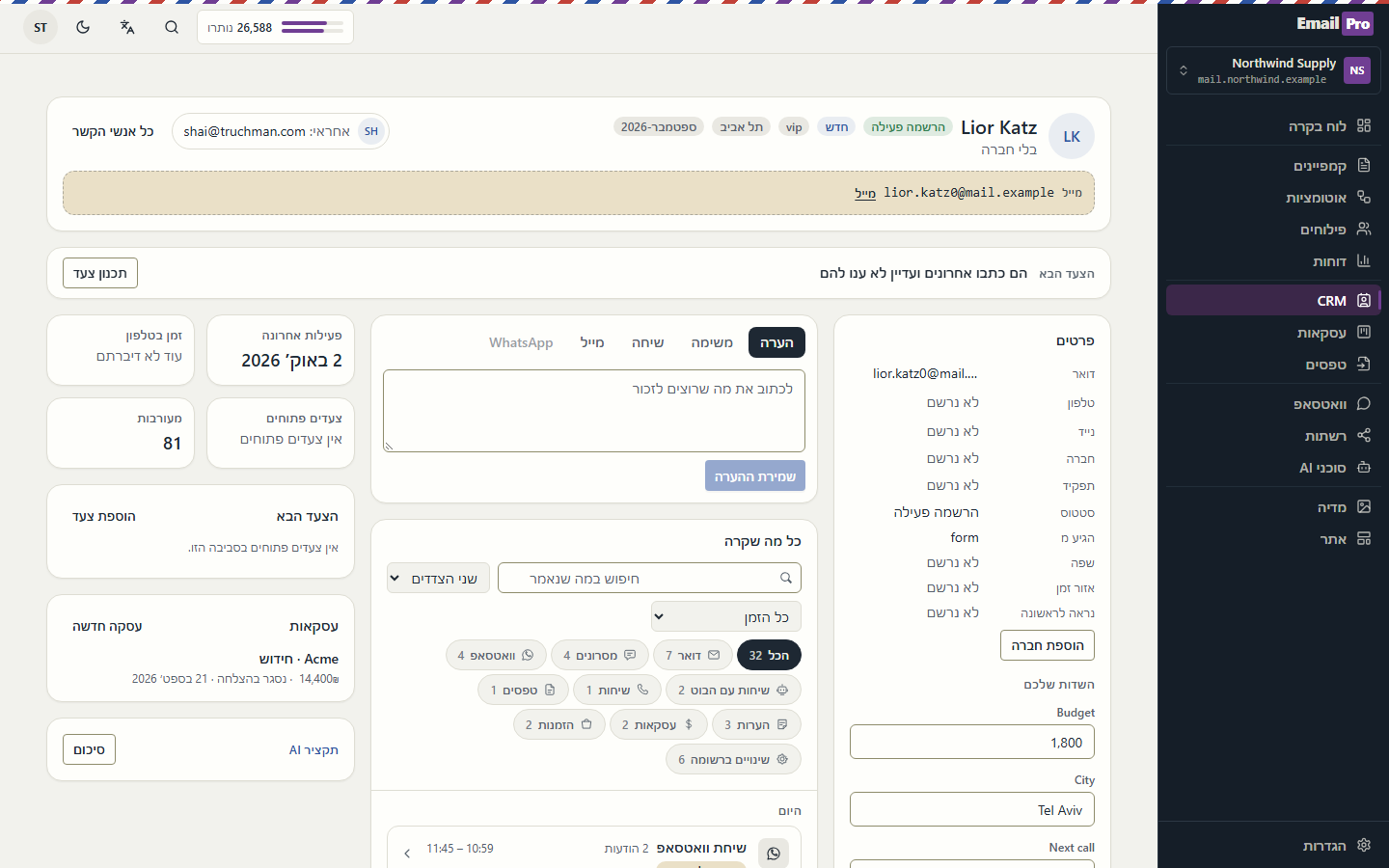
Steps
- Contacts: search, then use the filter chips and the Mine toggle. Arrow keys move between rows, Enter opens a preview, Space selects.
- Open a record. The header holds email and phones; the next step stays pinned; one composer adds a note, task, call, email or WhatsApp.
- Edit any detail in place: Enter saves, Escape cancels. A refused save is shown and rolled back; a successful one offers Undo.
- Deals: drag a card between stages (touch works too), or use the ⋯ menu. The header shows the open pipeline, plain and weighted.
- Open a deal to edit every field, see its activity, mark it won or lost (with a reason), or reopen it.
Questions
- Why did my save disappear?
- It was refused by the server, for example a field you may not change. The message says why and the screen shows what is really saved.
- Can I undo a bulk change?
- Bulk actions wait 8 seconds before anything is sent. Undo in that window and nothing changes.
Updated 2026-10-02 · llms-full.txt